
One workspace per client. One screen for all of them.
Each client gets a workspace of its own, with its own brand, channels, leads and results. You see every client on one screen, sorted by who is waiting for you. Your clients see only their own, in a smaller portal, and never your notes.
The trial includes 3 client workspaces, the client portal and the portfolio.
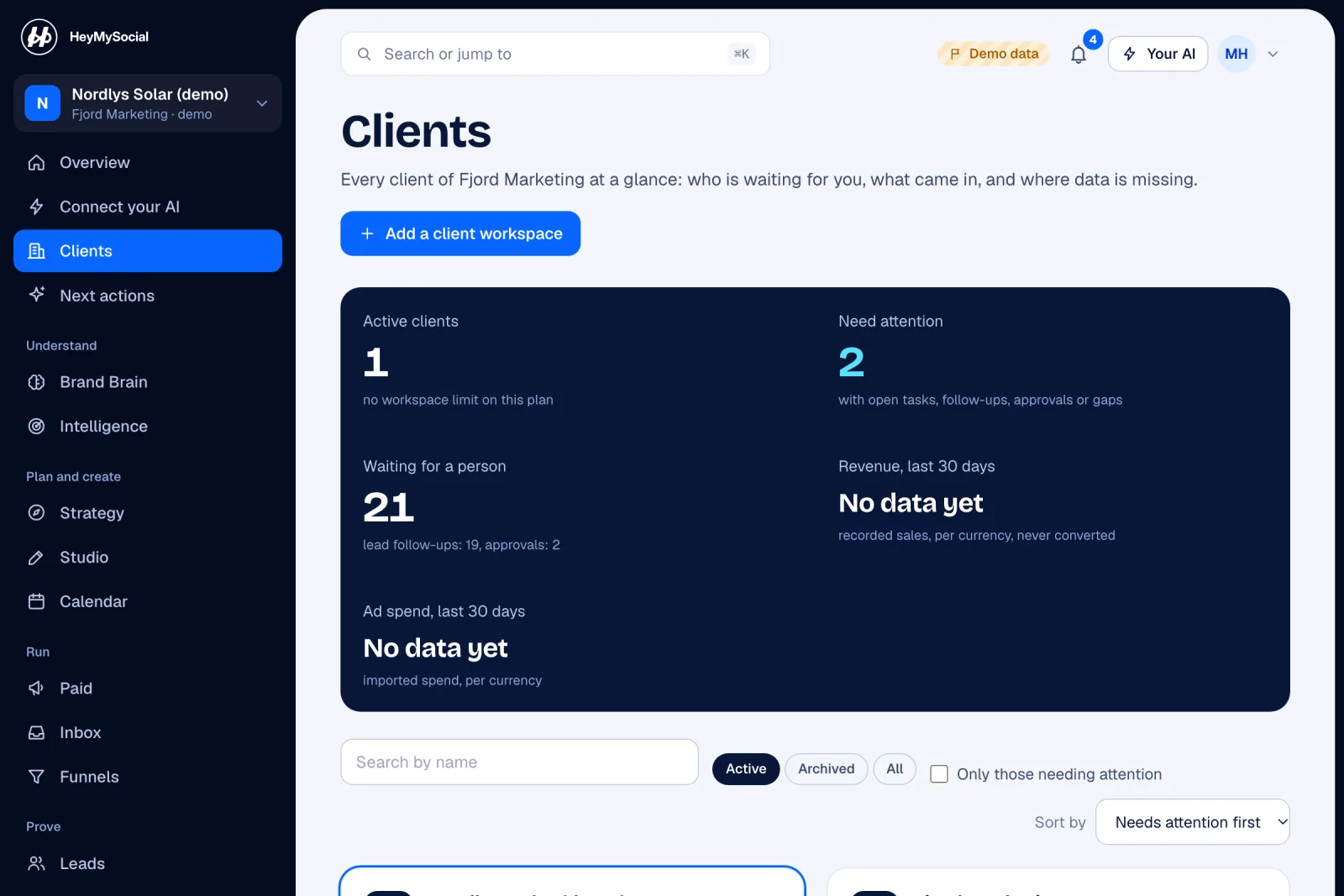
A week across your client list
An illustration of how the screens fit a working week, with invented clients: a dental clinic, a roofing firm and a language school.
-
1
Monday: see who is waiting
Open Clients. The cards are sorted "Needs attention first": open tasks, new leads nobody has called, approvals waiting, a connection that stopped working, data that is missing. The summary at the top counts what waits for a person across all active clients.
-
2
Open the client at the top
One click opens that workspace. Its Overview lists the leads to follow up and the tasks. Everything you now see and change belongs to that client only.
-
3
Hand next week to your assistant
Ask it to plan next week for the roofing firm. It reads that client's approved facts and last month's results, writes the drafts and graphics, creates the tracked links and asks for approval. Every call it makes works inside the one workspace you name.
-
4
Let the client say yes
The client opens the Calendar in their portal, sees the posts in review exactly as they will go out, and approves or sends them back with a note. The approval covers that text, picture, channel and time. An edit afterwards cancels it.
-
5
Schedule, or post by hand
Scheduling stays with your team, and today the schedule sends to the practice channel only. Direct publishing to Facebook, Instagram and LinkedIn is built but not switched on, so you leave the approved post off the schedule, post it yourself and use "Mark as published elsewhere" in the Studio. The calendar and the results stay true.
-
6
Friday: send the numbers
In Analytics, save the week as a report and create a share link. The client opens a read-only page of totals with the definitions beside them. No login, no lead names, no ad spend.
Clients cannot see each other, and neither can their data
A workspace is the boundary. Brand facts, channels, posts, leads, sales, ad results and API keys each belong to exactly one workspace. A request that does not say which workspace it is for fails instead of guessing.
The portfolio is built the same way: each card is worked out inside its own workspace, and only for the workspaces you may open.
- An address or an id from another client answers "not found", never "forbidden".
- Revenue and spend are shown per currency. Kroner are added to kroner and euros to euros; the two are never added together.
- Archiving a client deletes nothing and frees its place under your plan. Restore it when the work resumes.
- The demo workspace never enters a real total.
A client portal with fewer screens and no private notes
Invite someone on the client's side under Settings, Members, and tick "Client collaborator". They sign in to the same workspace and get a smaller product: a welcome panel in your agency's name with one accent colour, and only what their role allows.
- They work in the Overview, the Calendar and, when their role allows, Leads and Analytics.
- Private agency notes, Settings, Paid, Brand Brain, Intelligence, Strategy, Studio, Funnels and Next actions do not exist for them: those addresses answer "not found".
- Analytics shows them leads and recorded sales, without ad spend or cost.
- They cannot export leads, manage members or connections, or put a post on the schedule.
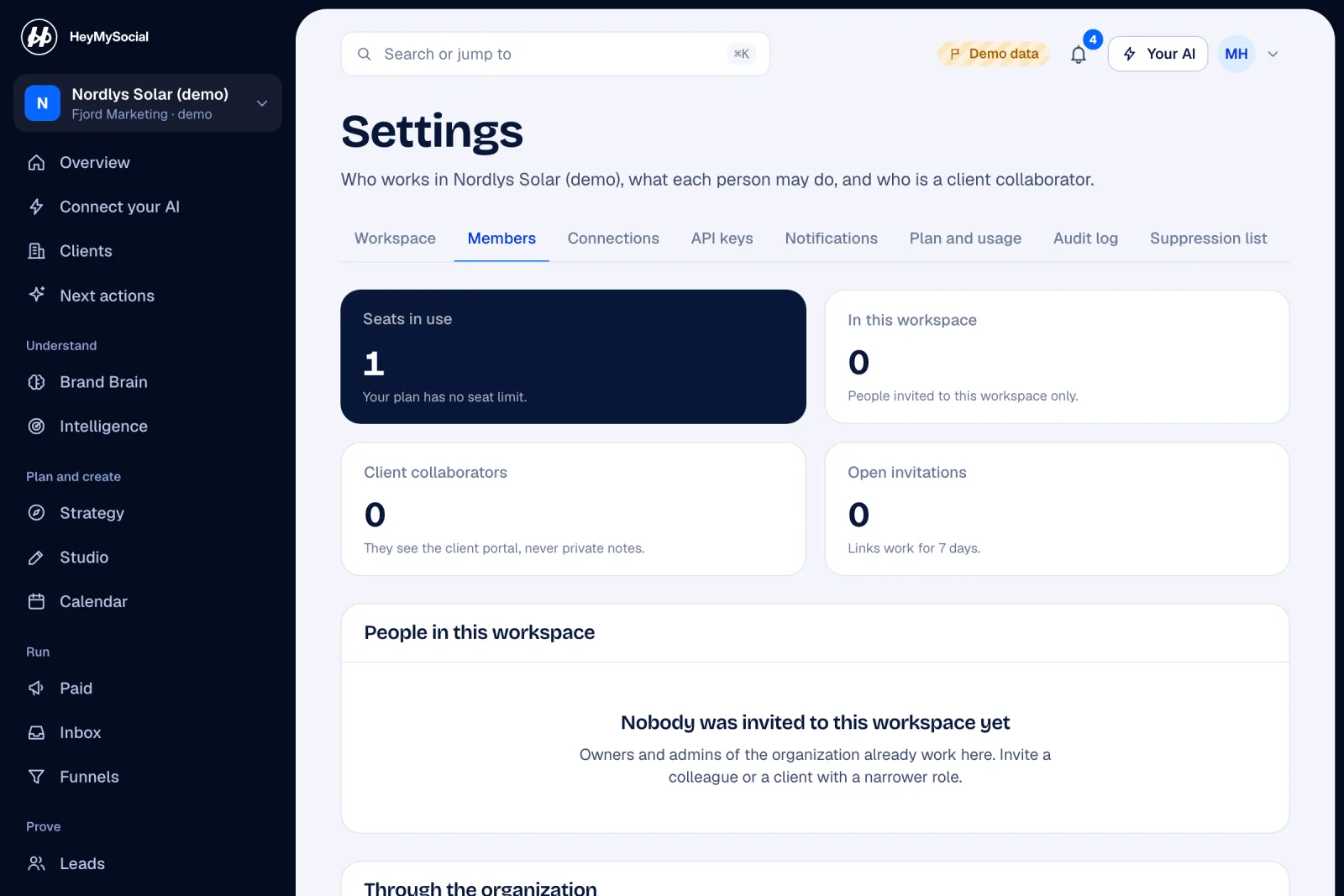
Your team and your client, side by side
| In a client workspace | Your team | Client collaborator |
|---|---|---|
| Calendar | Every post, drafts included | Posts in review, approved, scheduled or published |
| Approve a post or send it back | Roles that may approve | Roles that may approve |
| Put a post on the schedule | Roles that may publish | No |
| Lead status, outcome and sales | Roles that work leads | Roles that work leads |
| Private agency notes | Roles that may read them | No |
| Analytics | With ad spend and cost | Without ad spend and cost |
| Export of leads | Managers | No |
| Members, connections and keys | Managers | No |
A client collaborator still has a role. A client who approves posts can be a Publisher; one who reports what became of the leads can be a Sales collaborator. Roles and what each may do.
Three ways a client answers you
Pick the lightest one the client will actually use.
Approval in the portal
For the client who wants to see every post. They sign in, open the Calendar and approve exactly what will go out. With four-eyes approval switched on, whoever asked for the approval cannot be the one who gives it.
A status link, no login
For the client who only has to tell you what became of a lead. You create the link on the lead's page. It expires, works a limited number of times and can be revoked. The page shows initials and an arrival date, and takes the statuses you allowed, a reason, and the amount when the lead is won.
A shared report, no login
For the monthly numbers. The link opens one frozen snapshot of a saved report: totals, breakdown and definitions. It expires, can be revoked, counts its views, and keeps showing the same numbers after newer snapshots are taken.
What your assistant does across clients
Each person on your team connects their own assistant. It sees the clients that person can open, with that person's role. list_workspaces_summary is the portfolio as data: ask which client needs you first and it answers from the same numbers as the Clients screen.
get_content_performance
Performance of published posts
get_report
Get a saved report
get_results
Get outcome results
list_reports
List saved reports
revoke_report_share
Revoke a report share link
save_report
Save a report
share_report
Create a share link for a report
get_plan_usage
Plan and usage
invite_member
Prepare an invitation to the workspace
list_audit_events
Audit log
list_available_integrations
What can be connected
list_connections
Connections and their health
list_members
Members and invitations
list_notifications
My unread notifications
list_workspaces_summary
Portfolio summary
manage_member
Change a role, remove a member or withdraw an invitation
The Agency plan, in its own numbers
These are read from the plan itself, so this page cannot drift from the product. Every plan and limit.
15 client workspaces
Active workspaces count. Archived ones and the demo workspace do not.
30 seats
A seat is a person, counted once across the whole organization. Client collaborators count too.
2,000 scheduled posts a month
One is used each time a post goes on the schedule, across all clients.
1,000,000 tracked events a month
Visits, leads and sales arriving by script, webhook or API. Going over is shown; an event is not refused because of it.
60,000 assistant calls a month
Shared by everyone's assistants. Past the number, calls pause until the next month. Nothing is billed on top.
DKK 4,995 a month
A pilot price. Paid plans are not open yet: the trial is free, and you register interest in the Agency plan under Plan and usage.
True today, and what waits
Questions agencies ask
Can we put our own brand on the portal?
Does a client collaborator take a seat?
Can one person have different roles for different clients?
What happens when the trial ends?
What happens to a client's data when the work ends?
Why does the portfolio show more follow-ups than the client's Overview?
Keep reading
Set up your first client this week
Create an agency account, add a client workspace, and invite the client as a collaborator when the first posts are ready for a yes.