
One calendar for what goes out, where and when
The calendar shows every post with its status, channel and time, and it is where posts are reviewed, scheduled and moved. Sending works from start to finish on the practice channel today. The adapters for Facebook Pages, Instagram and LinkedIn are built and switched off, so real posts are posted by hand and marked as published.
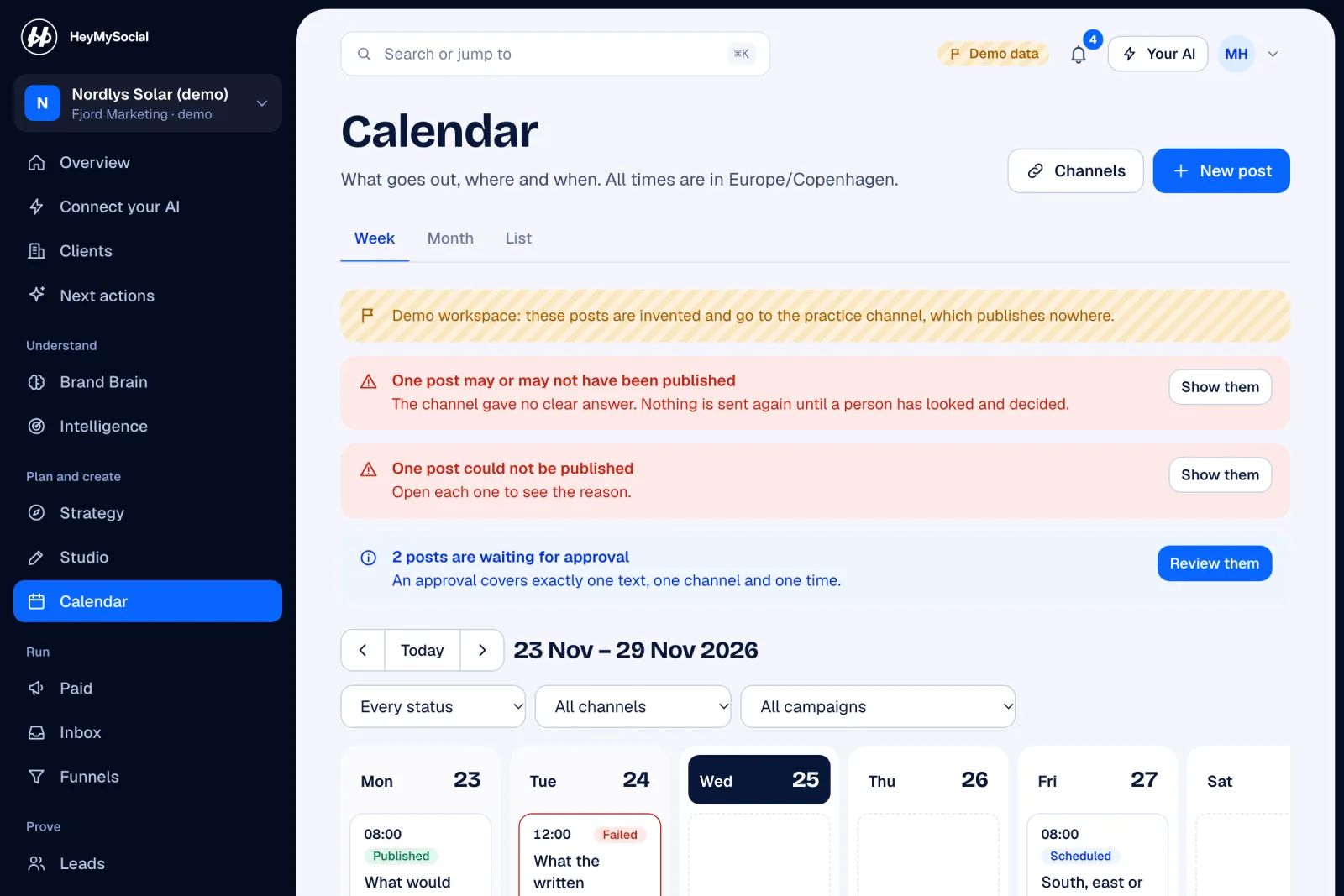
Week, month and list, in your own time zone
Three views of the same posts, filtered by status, channel and campaign. A post shows up once it has a time, and the calendar raises what needs a person at the top: posts waiting for approval, posts that failed, and deliveries nobody can confirm.
Drag a post to another day, or use its clock button. You are asked to confirm before anything moves, and when the post was approved the dialog says what moving costs: the time is part of the approval, so the post becomes a draft again and needs a new one.
Every time is entered and shown in the workspace's time zone. On the night the clocks go forward, a time that does not exist is refused with the reason. On the night they go back, a time that happens twice is taken as the first one, and the app says so.
- Scheduling a post uses one of the plan's monthly scheduled posts: 40 on Solo, 150 on Business. Taking it off the schedule gives it back.
- Client-side collaborators see posts from "In review" onwards. They cannot move or schedule.
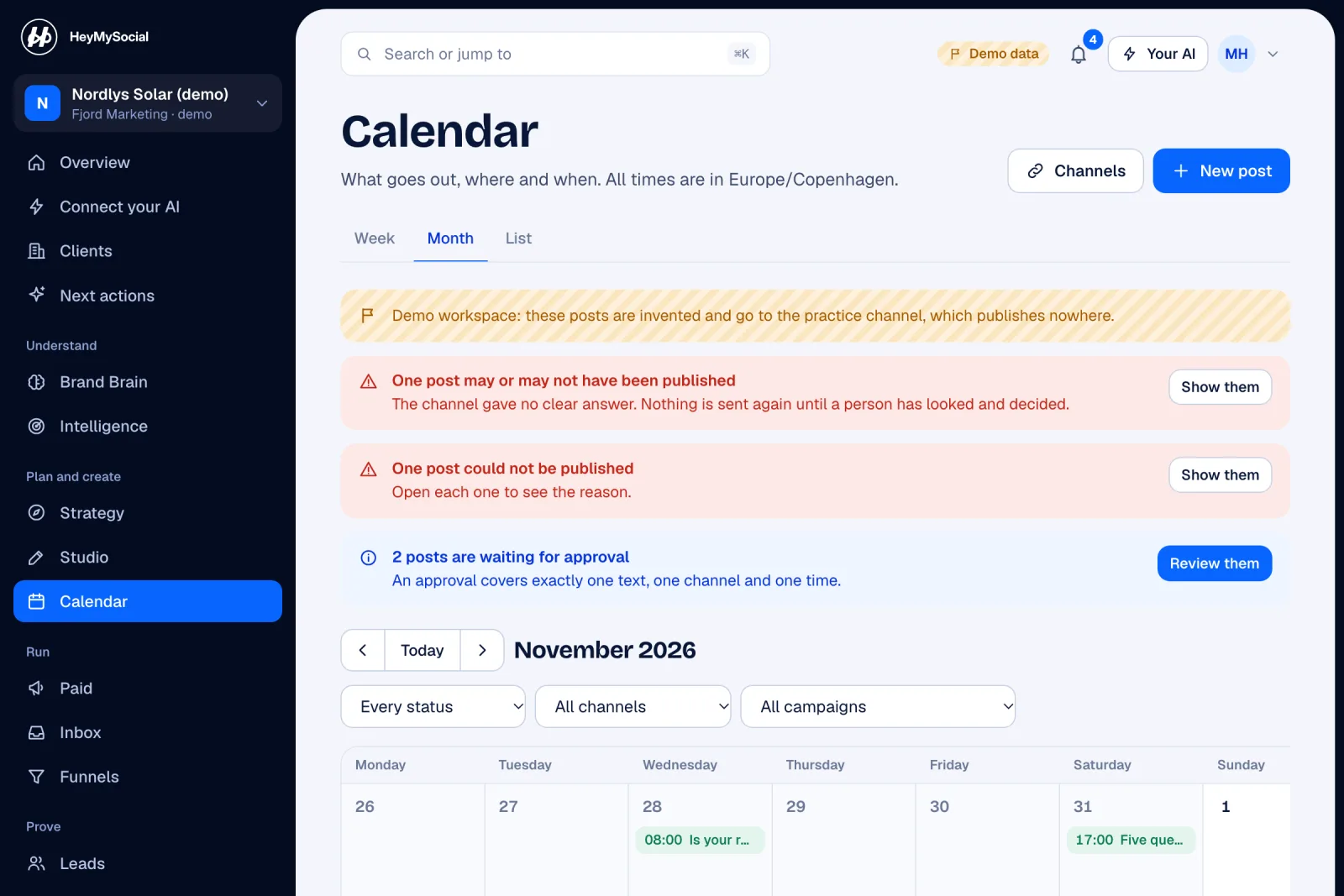
Where a post can go today
Plainly: one simulated channel that sends, and a by-hand route for everything real. Every connection and its state.
The Channels screen says what each connection may do
Each connection lists its accounts, the things it is allowed to do, such as publish or read metrics, and whether it is answering. A switched-off channel is shown with what it needs before it can be turned on, and the sentence: "The adapter is built and checked against recorded examples only. It has never run against the live service."
The practice channel is there so you can run the whole workflow before a real account is connected. Under "Rehearse a failure" you choose how it behaves: a temporary failure, content refused, sent with the answer lost, no answer at all, or an outage. Then you watch what the calendar does.
What happens at the planned time
The publisher checks for due posts every minute.
-
1
Claim
The scheduled post is claimed by one worker, so two can never send the same post.
-
2
Check the approval again
The post as it is now is compared with what was approved. If it differs, or the channel changed or lost its right to publish, nothing is sent and the post shows why.
-
3
Send once
The post goes to the channel with a key that identifies this one send. Every try is recorded.
-
4
Retry a clear failure
A temporary failure is tried again later with the same key, with longer waits each time and a fixed number of tries. A post the channel refuses is not retried.
-
5
Ask when the answer is unclear
A timeout or a lost answer is not a failure. The channel is asked whether the post exists. If it cannot say, a person decides.
"Delivery uncertain" waits for a person
When nobody can confirm whether a post went out, HeyMySocial does not guess and does not send again. The post reads "Delivery uncertain", the calendar shows a notice, and the post page asks you to open the channel and look: "Nothing is sent again until you say what you found."
Someone who may publish then records one of two things, with a short note on what they checked.
- "It was published": enter the link to the post or its id on the channel, and it is recorded as published.
- "It was not published": send it again with the same approved content. The dialog warns that if the post is on the channel after all, there will be two.
- For a while afterwards the channel keeps being asked, by reading only, and the post resolves by itself if the channel reports it.
Post by hand, and keep the calendar true
For any channel HeyMySocial cannot publish to, which today is every real one, the route is by hand. Write and check the post in the Studio, post it yourself on the network, then press "Mark as published elsewhere" and paste the link to the post.
Nothing is sent. The post is recorded as published, with the label "Published by hand", who recorded it and when, so the calendar and the campaign history match what really happened. It is offered while a post is a draft, in review, approved or failed, and it takes the right to publish. Only a person can do it; an assistant or an API key cannot.
The by-hand route, step by stepWhat your assistant can do on the calendar
It reads the calendar, finds free days and connects the practice channel. It can put a post on the schedule only after a person approved it in the app, and moving a post asks for a new approval for the new time.
cancel_schedule
Take content off the schedule
connect_practice_channel
Connect the practice channel
get_calendar
Get the content calendar
get_publication
Get what happened at publication
list_channels
List publishing channels
reschedule_content
Move content to another time
schedule_content
Schedule approved content
Questions about the calendar and publishing
Can I publish to Facebook, Instagram or LinkedIn from HeyMySocial today?
Could a retry post the same thing twice?
What do I see when a post fails?
Do posts I publish by hand get metrics?
What does the practice channel do with my post?
Which kinds of post will the Meta adapters send when they are on?
Keep reading
Rehearse a whole week on the practice channel
Connect the practice channel, schedule a few posts, and set it to fail once. You will know what every state looks like before a real post depends on it.