
Connect Claude Code, Codex, Cursor or VS Code
Command-line assistants and editors connect with a personal key, in one command or one settings block. This is the route we have run from start to finish: Claude Code and Codex each took an empty workspace to a scheduled, measured campaign using only the tools.
Using the Grok command line or Antigravity? Their commands are on the Grok and Gemini pages.
One command, or one settings block
Pick your tool. hms_mcp_… marks where your own key goes; the Connect your AI screen makes the key and puts it there for you.
https://heymysocial.com/mcp
Claude Code
- 1Create a personal key and paste the command it gives you into a terminal.
- 2Start the assistant and ask your first question.
claude mcp add --transport http --scope user heymysocial https://heymysocial.com/mcp --header "Authorization: Bearer hms_mcp_…"The key is made for you on the Connect your AI screen, shown once, and can be revoked there at any time.
Codex
- 1Create a personal key and paste the command it gives you into a terminal.
- 2Start the assistant and ask your first question.
export HEYMYSOCIAL_KEY="hms_mcp_…" && codex mcp add heymysocial --url https://heymysocial.com/mcp --bearer-token-env-var HEYMYSOCIAL_KEYThe key is made for you on the Connect your AI screen, shown once, and can be revoked there at any time.
Cursor / VS Code
- 1Create a personal key and add the block it gives you to your editor's MCP settings (mcp.json).
- 2Reload the editor and ask your first question.
The block is written for Cursor. In VS Code the file is .vscode/mcp.json and the outer name is "servers" instead of "mcpServers".
{
  "mcpServers": {
    "heymysocial": {
      "url": "https://heymysocial.com/mcp",
      "headers": { "Authorization": "Bearer hms_mcp_…" }
    }
  }
}
The key is made for you on the Connect your AI screen, shown once, and can be revoked there at any time.
What a personal key is
It acts as you
A key works with the roles of the person who made it, in every workspace that person can open. It never has more rights than you do.
Shown once, stored as a hash
The plain key appears once, when you create it. Only a SHA-256 hash and the first few characters are kept, so it cannot be read back later, by you or by us.
Revoked in one place
Every key is listed on Connect your AI, with when it was first and last used. Revoke it there and it stops at once. A password reset revokes every key and every signed-in assistant.
A confirmed email comes first
An assistant can only be connected to an account with a confirmed email address. Until then every tool refuses to run and says why.
Counted like any other call
Calls made with a key count against your plan's monthly assistant calls, with a ceiling of 90 calls a minute per person.
Not an API key
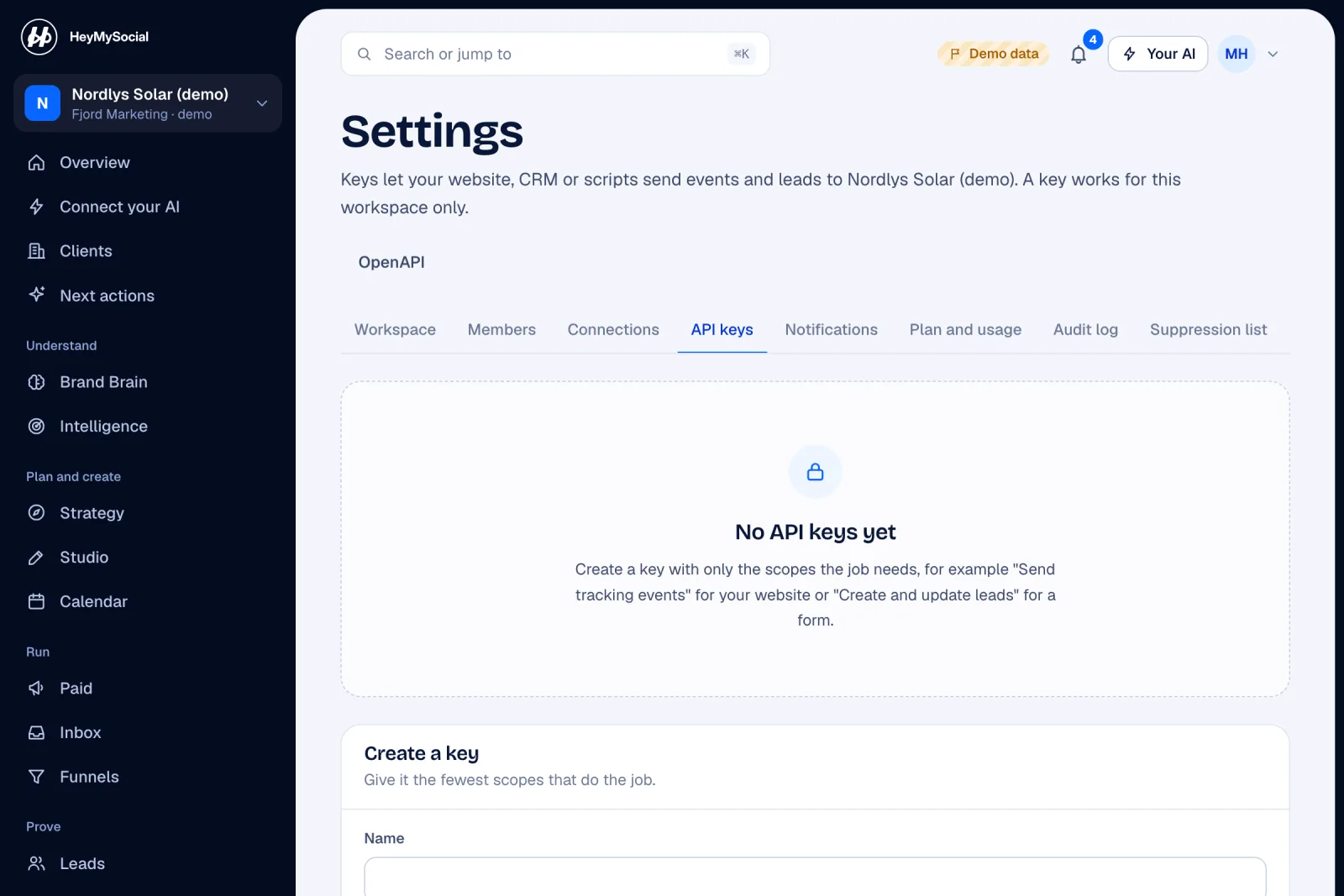
Scripts that send events or leads use a REST API key instead. Those are made under Settings, API keys, carry scopes and work for one workspace only.
Jobs for a longer session
Lists and exports you hand the assistant go through the same importers as the screens in the app.
| You say | The assistant calls | You get |
|---|---|---|
| Import this list of leads from our old system. | It sends the rows to import_leads, which it finds by searching. | Each row needs a name, an email or a phone number. Rows that cannot be read come back with the reason, the rest are imported, and importing the same rows again creates nothing new. |
| Here are my notes on what competitors posted this month. Record them. | One call to import_observations for the whole list. | Good rows are kept as market observations. Bad rows come back with their row number and the reason. |
| Import this Ads Manager export and tie the campaigns to ours. | First import_paid_results, then map_paid_campaign for each imported campaign. | Spend beside your own leads and sales. Until a campaign is tied to one of yours, its spend is left out of cost per lead and cost per sale. |
| Explain last month. | The built-in prompt has it read get_results, get_funnel_matrix and the open list_recommendations. | A plain account of what was measured, how sure it is and what it does not show. This task changes nothing in the workspace. |
| What has my assistant changed today? | It reads the audit log with list_audit_events. | What happened, who did it and through which door: a person in the app, an assistant, an API key or the system. |
What has been run with these tools
Claude Code and Codex are two of our three full runs. No run has been made in an editor: the sign-in check covered the return address VS Code uses, and nothing more.
| Assistant | How it connects | Whole job done with it | In the assistant's own app |
|---|---|---|---|
| Claude | Sign-in, or a key in Claude Code | Full run with Claude Code, twice. | Sign-in flow checked with a script that plays the app; adding it by hand in the app has not been done by us yet. |
| ChatGPT | Sign-in, or a key in Codex | Full run with Codex, the command line that uses ChatGPT's model. | Sign-in flow checked with a script that plays the app; adding it by hand in the app has not been done by us yet. |
| Cursor / VS Code | A key in the editor's settings, or sign-in | No full run yet. | Sign-in flow checked with a script for the address VS Code uses; not tried in an editor. |
As tested on November 24, 2026 against the live service. "Whole job" means from an empty workspace to a scheduled, measured campaign using only the tools.
When a script fits better than a conversation
An assistant is for work you talk through. For a website form, a CRM or a nightly job that sends the same thing every time, the REST API is the better fit, with a key that carries only the scopes the job needs.
- An API key works for one workspace only.
- Scopes are chosen per key, such as sending events or reading leads.
- An API key can ask for an approval. It can never approve, and it can never schedule.
Questions about keys and code tools
Where does the block for Cursor and VS Code go?
mcp.json. The Connect your AI screen gives you the block with your key in it. Reload the editor afterwards.Can an editor sign in instead of using a key?
Codex says it is not signed in. What should I check?
HEYMYSOCIAL_KEY, and gives Codex the name of that variable. Check that the variable is set in the terminal you start Codex from.Can I use the key in my own program?
Authorization header to https://heymysocial.com/mcp. For plain HTTP calls from a script, use the REST API and an API key.A tool answers access_denied. Why?
Do tools that delete things run without asking?
Keep reading
Create a key and paste the command
Then start your assistant and ask: "Set up my HeyMySocial workspace with me, one step at a time."