
Next to an ad dashboard
The ad platform's own manager is where ads are made, changed and measured by the platform. A reporting dashboard draws those numbers nicely. HeyMySocial does a narrower thing: it puts the spend you import beside the leads and sales in your own records, so you can see what a campaign cost per sale.
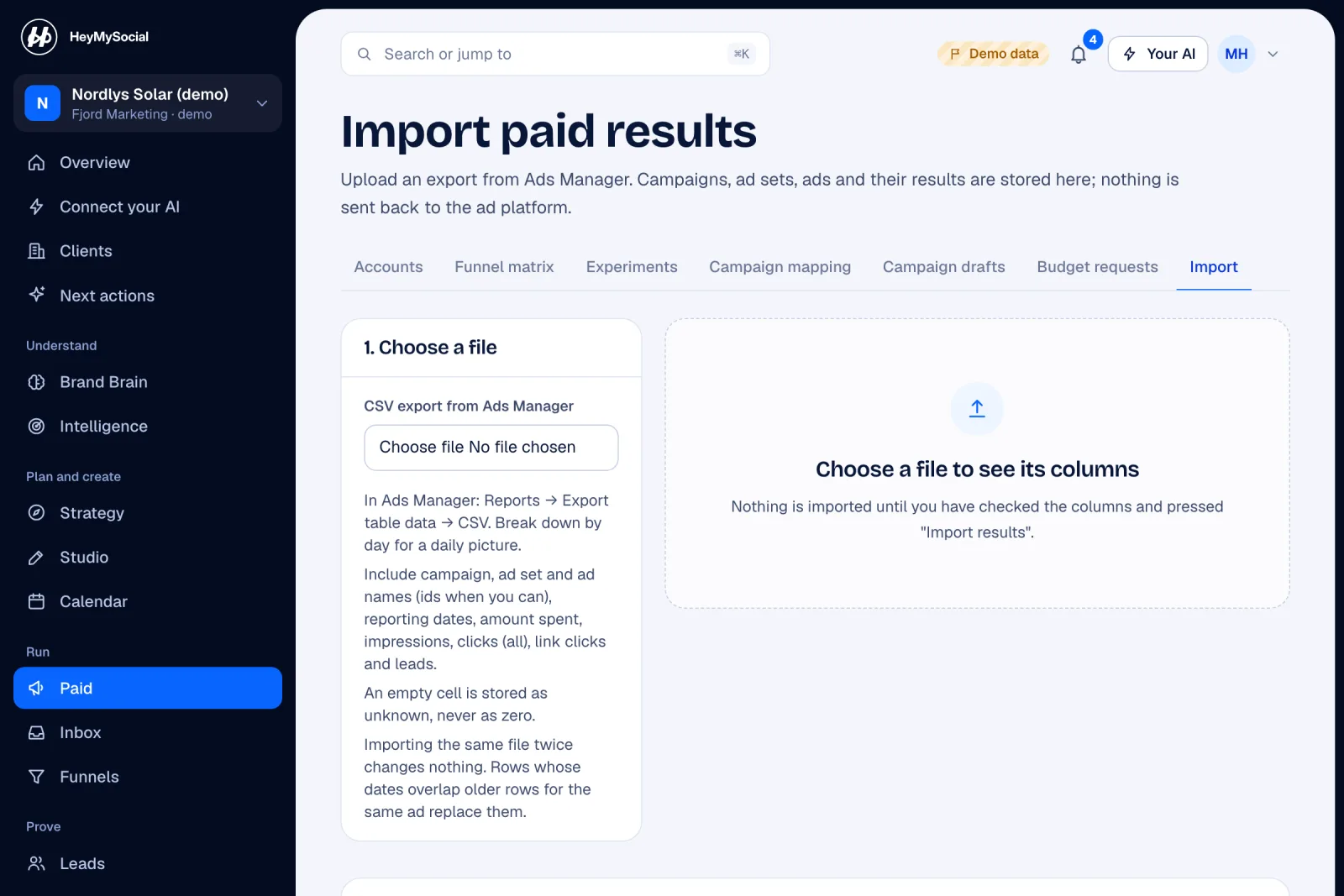
Ad results come in by file today. Automatic reading from Meta is built and waiting for Meta to approve the app.
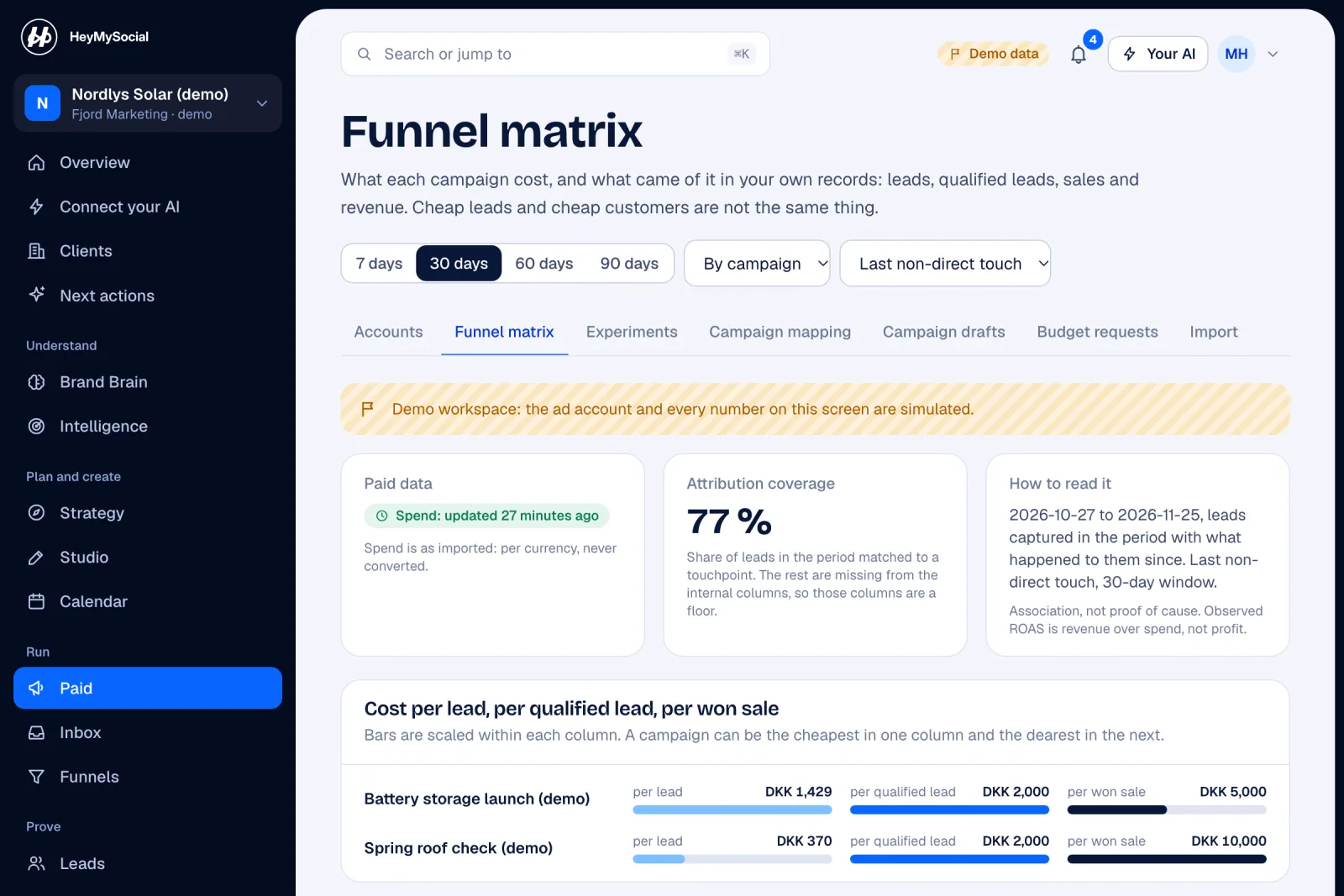
The question a platform cannot answer alone
An ad platform knows what it spent and which form fills or conversions it counted. It does not know which of those leads your sales team qualified, or which ones bought. That is in your records, and joining the two is what the funnel matrix is for.
The numbers in this example are an illustration, not anyone's results.
- Spend
- DKK 10,000
- Leads
- 200
- Cost per lead
- DKK 50
- Sales
- 2
- Spend
- DKK 10,000
- Leads
- 50
- Cost per lead
- DKK 200
- Sales
- 10
What each one is built around
An ad dashboard or ad manager, typically
- Numbers come straight from the ad platform, close to live.
- Leads and conversions are the ones the platform counted, by its own attribution setting.
- The manager creates and changes ads, audiences and budgets.
- Breakdowns by placement, audience and creative, as the platform offers them.
- A dashboard tool usually lets you design your own charts across several sources.
HeyMySocial today
- Ad results are imported from an Ads Manager export, or sent through the API. They are as fresh as your last import, and the screen says when that was.
- Platform-reported leads and the leads matched by HeyMySocial's own tracking stand in separate columns and are never added together.
- No code creates or changes an ad or a budget. A budget change is a request a second person approves, exported as an instruction for someone to carry out by hand.
- Drill-down by account, campaign, ad set and ad.
- One funnel matrix and one analytics screen with fixed definitions. You filter them; you do not redesign them.
Side by side
The middle column is what is typical of ad managers and reporting dashboards. The right column is what works in HeyMySocial today.
| What | Ad manager or dashboard, typically | HeyMySocial today |
|---|---|---|
| Where the numbers come from | A live connection to the ad platform | A file you export from Ads Manager, with English or Danish column names, or rows sent through the API. Meta Ads sync is built and waiting for Meta's approval. |
| Creating and changing ads | Yes, in the platform's own manager | Never. There is no code that writes to an ad account. |
| Budget changes | Made directly, by whoever has access | A request with the exact change, approved by someone other than the requester, then exported as a file for a person to carry out. |
| Leads | As counted by the platform | Platform-reported leads in one column; leads matched by tracked link, website script or signed webhook in another. |
| Sales and revenue | Only if you send conversions back to the platform | Recorded per lead from your CRM, a file or by hand, with refunds, per currency. |
| Cost per sale | Seldom, and then on the platform's own count | Cost per lead, per qualified lead and per won sale, with "N/A" when a number is missing instead of zero. |
| How much of the picture is covered | Not usually shown | Attribution coverage beside every internal number: the share of leads matched to a touchpoint. |
| Experiments | Split tests run by the platform | A comparison of variants on matured leads that reports "inconclusive" on thin data. No significance testing. |
| Several ad platforms | Dashboards often connect to many | The import is built around the Ads Manager export. Two currencies are never summed. |
Platform numbers and your own numbers, kept apart
The funnel matrix has three labelled groups of columns. "From the ad platform" holds spend, impressions, link clicks and the leads the platform reported, exactly as imported. "Matched in this workspace" holds the leads, qualified leads, won sales and revenue that HeyMySocial's own tracking tied to the campaign. "Cost and return" sets the first against the second: cost per lead, per qualified lead and per won sale, and revenue over spend.
Because not every lead can be matched, the matrix states its coverage, and the internal columns are a floor, not a total. What you read is association: this campaign and these sales belong together in your records. It is not proof that one caused the other.
- A campaign in the file is mapped to a campaign in HeyMySocial, with suggestions from its name and tracking values.
- Re-importing the same file changes nothing; a newer row for the same period replaces the older one.
- Stale or missing paid data is flagged instead of being shown as current.
Where the ad manager or a dashboard is the better choice today
You keep the ad platform's manager whatever you choose: HeyMySocial does not replace it. These are the things it and a reporting dashboard do better.
Live numbers
The platform's manager and a connected dashboard show today's spend today. HeyMySocial shows what was in your last export, until Meta Ads sync is switched on.
Doing something about them
Pausing an ad, changing an audience or moving budget happens in the ad platform. HeyMySocial can only write the instruction for a person to follow.
The platform's own breakdowns
Placement, age, region and similar breakdowns live in the ad platform. HeyMySocial stops at account, campaign, ad set and ad.
Custom charts across many sources
A dashboard tool is built for laying out your own charts from many connected sources. HeyMySocial has fixed screens and a saved report you can share by link.
HeyMySocial has no code that changes an ad or a budget.
Not behind a switch, and not for an assistant either. The Meta Ads connection that is waiting for approval is read-only. A budget change request is approved for the exact change, by someone other than the person who asked, and its only outcome is an instruction to download, after which the request reads "Exported for manual change".
Questions about ad results
Do I still need the ad platform's own manager?
How do ad results get in today?
Why do your lead numbers differ from the platform's?
Does the funnel matrix prove which campaign caused the sales?
Can my assistant change my ads?
Keep reading
Put your spend beside your sales
The demo workspace has two campaigns with imported spend, leads and sales, so you can read a funnel matrix before you import a file of your own.