
What connects today, and what you do by hand until the rest does
Some connections work now: your own assistant, website tracking, ad results by file, your CRM by webhook or file, and the API. Others are built and switched off until an outside party has approved them. This page lists every one with its state, and the route that works in the meantime.
A connection that is off shows as "Needs authorization" in the app and is refused on the server. It is never shown as working with made-up data.
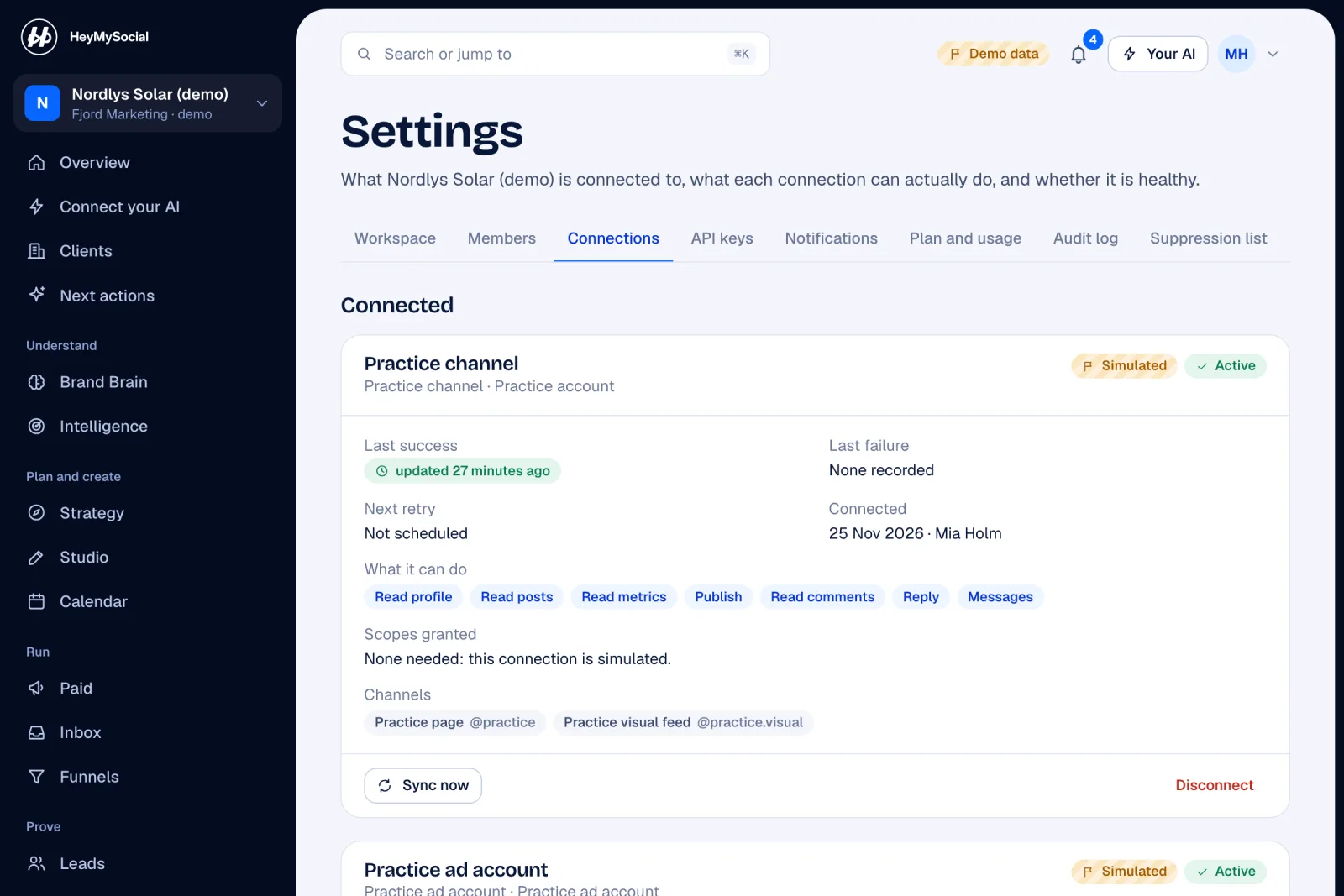
Every connection and its state
This list is drawn from the same switches the product itself reads, so it cannot say "works today" about something that is switched off. Each row says what the connection does and what is true of it today.
Assistants
Claude, ChatGPT, Grok, Gemini and anything else that speaks MCP works inside your workspace with your permissions.
Connect by signing in or with a personal key. See the assistant pages for what has been tested with each.
Channels
A simulated channel for trying the whole workflow: schedule, publish, fail and retry.
Labelled on every screen. Posts go nowhere.
Publishing approved posts directly: text, link and a single image.
Waiting for Meta to approve the app. Until then: post by hand and mark the post as published, so results still line up.
Text posts through LeadAdapter.
Built and switched off. Until then: post by hand and mark the post as published.
Not built.
Posts for these channels can still be written, approved and marked as published by hand.
Ads
Import the export from Ads Manager, in English or Danish columns, or send rows through the API.
Works for any ad account you can export from.
Reading spend and results automatically. Read-only: HeyMySocial has no code that changes an ad or a budget.
Waiting for Meta to approve the app. Until then: the file import.
No connection exists, and nothing is scraped.
Record the ads you see by hand or by file, with the source link.
Leads and sales
A small first-party script, tracked links and a signed webhook tie visits to leads.
Install on any site in a few minutes and test it from the app.
Signed webhooks in and out, or a file to reconcile, keep lead status and sales in step with your CRM.
Works with any system that can send or receive a webhook.
A ready-made connection through PipMCP.
Built and switched off; not yet checked against the live systems. Until then: the webhook.
Events, content, ad rows and CRM records, with scoped keys.
Create a key under Settings.
Design
Six layouts in four formats, in your brand colours.
Included in every plan.
Opening a creative in the HeyMadeIt design editor.
Built and switched off. Until then: the built-in designer, or upload your own image.
Payment
Paying for a plan by card.
Not open yet. Accounts keep working after the trial within the Solo limits, and you can register interest in a plan.
Until a connection opens, the by-hand route
None of these is a workaround you have to invent. Each is a screen in the product, built for the time before the connection exists.
Posting
Write and approve the post in HeyMySocial, and leave it off the schedule. Post it yourself on the platform, then choose Mark as published elsewhere in the Studio and paste the link. The calendar stays true, and nothing is sent.
Ad results
Export from Ads Manager and upload the file under Paid, Import. English and Danish column names are recognised, and uploading the same file twice changes nothing. Then map the imported campaigns to yours.
CRM
Send leads and sales in with a signed webhook, receive lead status changes with another, or upload a CSV export to reconcile. Any system that can send a webhook or export a file can use it.
Competitor ads and posts
There is no connection to an ad library and nothing is scraped. Record what you see by hand, by file or through your assistant, with the source link and the date.
Comments and messages
Answer them on the platform for now. The inbox, its rules and its suppression list can be learned on the practice channel, where every conversation is labelled Simulated.
Graphics
Use the built-in designer, which works in your brand colours, or upload your own image.
Assistants: what has been tested, plainly
Any assistant that speaks MCP can connect with one address. What follows is what we have actually run, not what should work. Steps for each assistant.
| Assistant | How it connects | Whole job done with it | In the assistant's own app |
|---|---|---|---|
| Claude | Sign-in, or a key in Claude Code | Full run with Claude Code, twice. | Sign-in flow checked with a script that plays the app; adding it by hand in the app has not been done by us yet. |
| ChatGPT | Sign-in, or a key in Codex | Full run with Codex, the command line that uses ChatGPT's model. | Sign-in flow checked with a script that plays the app; adding it by hand in the app has not been done by us yet. |
| Grok | Sign-in, or a key in the Grok command line | Full run with the Grok command line. | Sign-in flow checked with a script that plays the app; adding it by hand in the app has not been done by us yet. |
| Gemini | Sign-in in the Gemini app, or a key in Antigravity | Not run with a Gemini model yet. Google's command line connected and listed the tools. | Sign-in flow checked with a script that plays the app; adding it by hand in the app has not been done by us yet. |
| Cursor / VS Code | A key in the editor's settings, or sign-in | No full run yet. | Sign-in flow checked with a script for the address VS Code uses; not tried in an editor. |
As tested on November 24, 2026 against the live service. "Whole job" means from an empty workspace to a scheduled, measured campaign using only the tools.
For your own systems
What works today without anyone's approval but yours.
REST API
Events, content, ad rows and CRM records, with keys limited to the scopes you choose.
Webhooks
Signed requests for leads and sales from your form, and for your CRM in both directions.
Website tracking
The site script, its consent calls, tracked links and server events.
File imports
Column by column: leads, sales, ad results, observations and CRM exports.
Assistant tools
Every tool an assistant can call, with its arguments and what it may change.
Plan limits
What each plan includes a month, limit by limit.
Questions about integrations
When will publishing to Facebook and Instagram open?
What is the practice channel?
Can HeyMySocial change my ads or my budget?
Does my CRM have to be HubSpot or Pipedrive?
What about TikTok, YouTube, Pinterest and X?
Which assistants can I use?
Start with what works today
Connect your assistant, install tracking and import last month's ad results. None of it waits for anyone.