
Security and privacy, stated plainly
What protects your data today, where it is kept, what an assistant or a key can and cannot reach, and a list of what is not done yet. No certificates are claimed on this page, because we hold none.
What protects a workspace
These controls are in the product today, and each is covered by automated tests.
One workspace, one boundary
Every row of customer data belongs to one workspace. A query that runs with no workspace in force fails instead of returning everything, and anything in a workspace that is not yours answers as not found.
Sign-in
Email confirmation, optional two-step sign-in with an authenticator app and recovery codes, throttled sign-in attempts, and a list of signed-in browsers that you can sign out one by one.
Encrypted credentials
Tokens and secrets for the services you connect are encrypted with XChaCha20-Poly1305 under a versioned master key kept outside the database. They never appear in the audit log, in logs, in the API, to an assistant or in the browser.
Uploads
Files are checked by their actual type and size, SVG files are sanitised, and everything is stored on a private disk under its workspace and served only through routes that check who is asking.
The web basics
Output is escaped, a Content-Security-Policy with a nonce is on, and every form in a signed-in session carries a CSRF token. The public endpoints for tracking, webhooks, status links, shared reports and landing pages start no session and set no cookie.
Addresses you type
When HeyMySocial fetches an address a user gave it, such as a website to import or a webhook target, it refuses private network ranges, pins the DNS answer and checks every redirect again.
People get the narrowest role that does the job
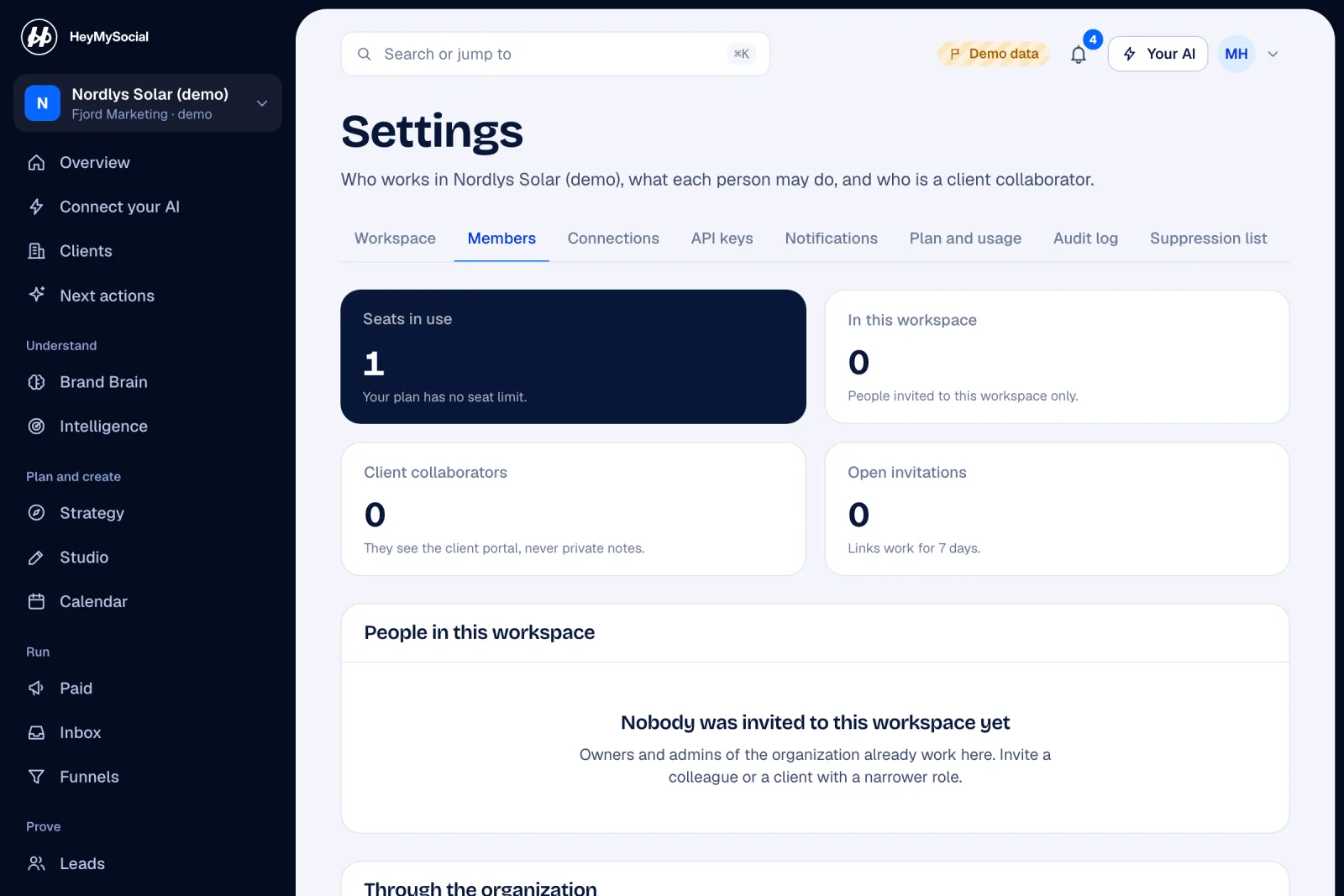
A workspace has roles from analyst to manager, each with a fixed list of what it may do, and the list is checked on every action that changes something. Owners and admins of the organization work in every workspace as managers.
Someone on a client's side joins as a client collaborator and gets the client portal: no private notes, no connections, members, exports or settings, and no publishing or budgets.
- Invitations go by email and expire.
- An invitation never changes the role of someone who is already a member.
- A role's limits apply to that person's assistant and personal keys too.
Nothing leaves without a person.
An approval is bound to the exact text, picture, channel and time. A material edit cancels it, and the publisher checks again at the moment of sending. An assistant or an API key can ask for an approval; neither can give one. There is no code that changes an ad or a budget.
Assistants, keys and webhooks
Every way into a workspace that is not a person at a screen.
Your own assistant
HeyMySocial runs no AI model and sends nothing to an AI provider. An assistant you connect acts as you, with your role. It cannot connect to an account with an unconfirmed email address. Disconnecting revokes all its tokens, and a password reset ends every session and every assistant connection.
Personal keys
A key for a command-line assistant is shown once. Only a SHA-256 hash and its first few characters are stored. It is listed on Connect your AI with its last use, and revoked there in one click.
API keys
A REST API key belongs to one workspace, carries only the scopes you tick, and is stored as a hash too. A repeated request with the same idempotency key is not carried out twice.
Signed webhooks
Incoming webhooks are signed with HMAC-SHA256 over the timestamp and the body. A signature older than 5 minutes is refused, a repeated request is never applied a second time, and a receipt is written before anything is processed.
Limits on every door
The API takes 120 requests a minute per key, an assistant 90 calls a minute per person, and the public forms 10 a minute per IP address.
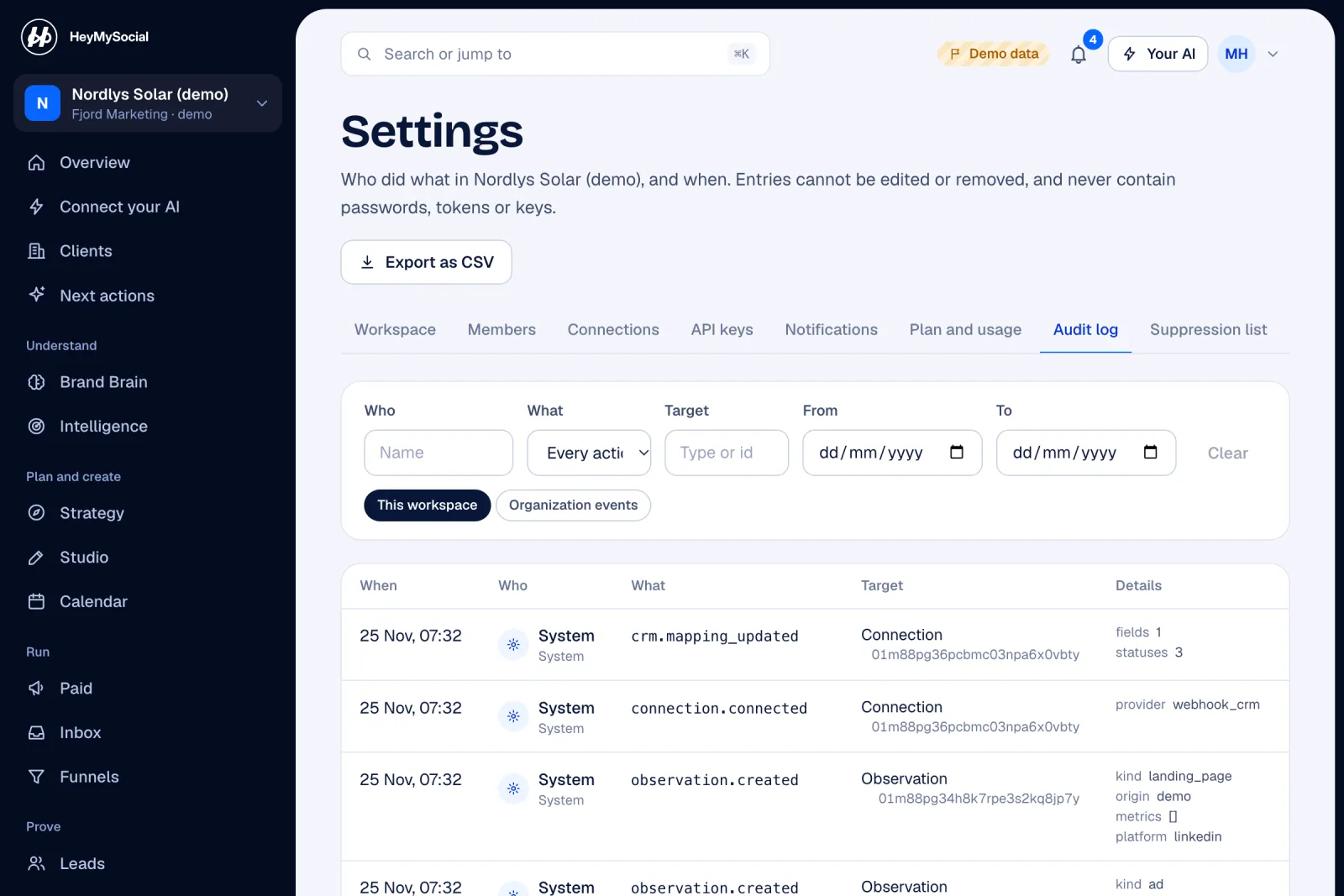
The audit log
Who did what, when, and through which door: a person, an assistant, an API key, a status link, a CRM or the system. Secrets are redacted, and the log exports as CSV.
Take your data out, erase a person, delete it all
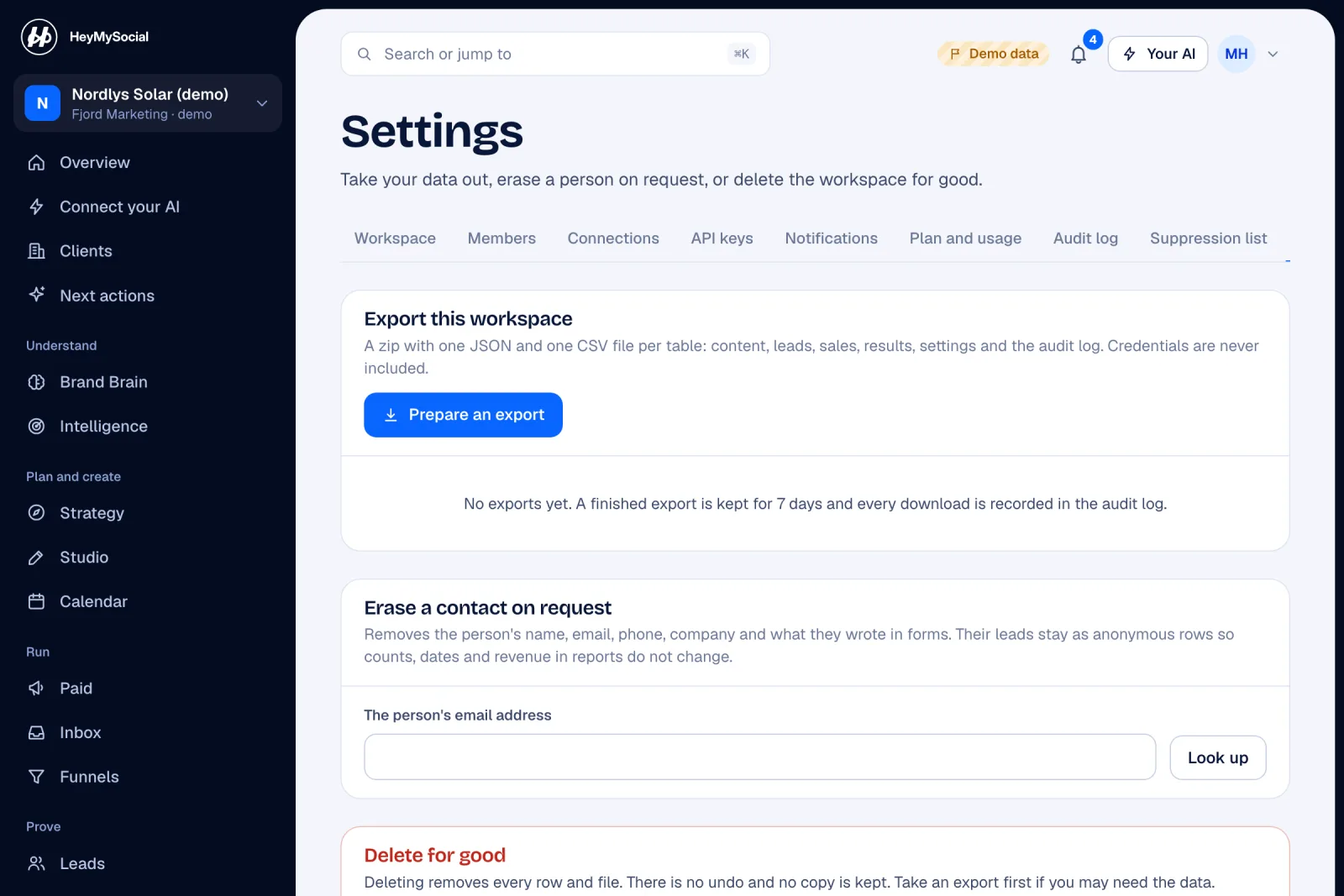
Under Settings, Data you can prepare an export of the workspace: a zip with one JSON and one CSV file per table, including the audit log. Credentials are never in it, and every download is recorded.
When someone asks to be forgotten, you look them up by email and erase their name, email, phone, company and what they wrote in forms. Their leads stay as anonymous rows, so counts and revenue in your reports do not change.
Only an owner or admin of the organization can delete a workspace. Deleting it disconnects its connections, then removes every row and file of that workspace. What stays is the organization's usage count for the month and one audit entry that says who deleted what. There is no undo and no copy is kept in the live database. Backups that contain it run out as described below.
Where it is kept
In the EU
HeyMySocial is hosted in Germany, at Hetzner Online GmbH.
Who else handles data
Cloudflare, Inc. runs DNS and SMTP2GO delivers transactional email. With the host, that is the whole list of subprocessors on the privacy page.
Backups
The database and the files are backed up every night, encrypted, and kept for 14 days. Each backup is verified by decrypting it, a dump is taken before every release, and a restore was rehearsed on 24 November 2026.
How long
Workspace data is kept until you delete it. Deletion takes it out of the live database at once and out of backups as they expire. The payload of a received tracking webhook is kept for 14 days, with personal data and credentials stripped out, and then cleared.
Not pooled, not used for training
Workspaces are isolated from each other. Your data is not pooled across customers and is not used to train models.
Your role and ours
For data about your own customers and leads you are the controller, and Profectify LLC processes it on your behalf. A written agreement for that is on the list below.
Not done yet
We would rather you read this here than find it out later. None of these is in place today.
What our own review found
On 25 November 2026 the code was read through for security, without changing anything. The review found two high, four medium and nine low findings.
Both high findings are closed, and the fixes are covered by regression tests.
All findings were fixed except two that were accepted as how event ingestion is meant to work: an API key with the events:write scope can send lead and sale events, and an authenticated sender states itself how a sale was verified.
This was our own review. It is not an outside test and does not replace one.
Questions people ask before they sign up
Do you have a data processing agreement?
Is HeyMySocial certified or tested by an outside party?
What does the tracking script collect from my visitors?
Can a connected assistant see passwords or tokens?
What does HeyMySocial send to AI companies?
How do I report a security problem?
Keep reading
Look at it from the inside
A trial account shows you the roles, the audit log and the data screen as they are. Add the demo workspace at setup to see them with sample data.