
Next to a social scheduler
A scheduler is built to put posts on many networks at the right time. HeyMySocial is built around what comes before and after the post: the strategy it belongs to, the approval that covers it, and the leads and sales its link led to. Today a scheduler does the publishing part better.
The scheduler side of this page describes the category in general. Products differ, so check the one you use.
Most schedulers stop at the post.
They can tell you that it went out and, typically, how many people reacted to it. HeyMySocial keeps going: the tracked link in the post ties clicks to leads, and sales update each lead until it is won or lost. What it cannot do today is put the post on a real network for you.
What each one is built around
A social scheduler, typically
- Connects to many networks and publishes to them directly.
- A queue or a calendar of posts, in many products with suggested times.
- Engagement numbers pulled from each network.
- Approval, where the product has it, is a step in the queue.
- Results usually end at reactions, reach and clicks.
HeyMySocial today
- Publishes to the practice channel only. On a real network you post by hand and record it with "Mark as published elsewhere".
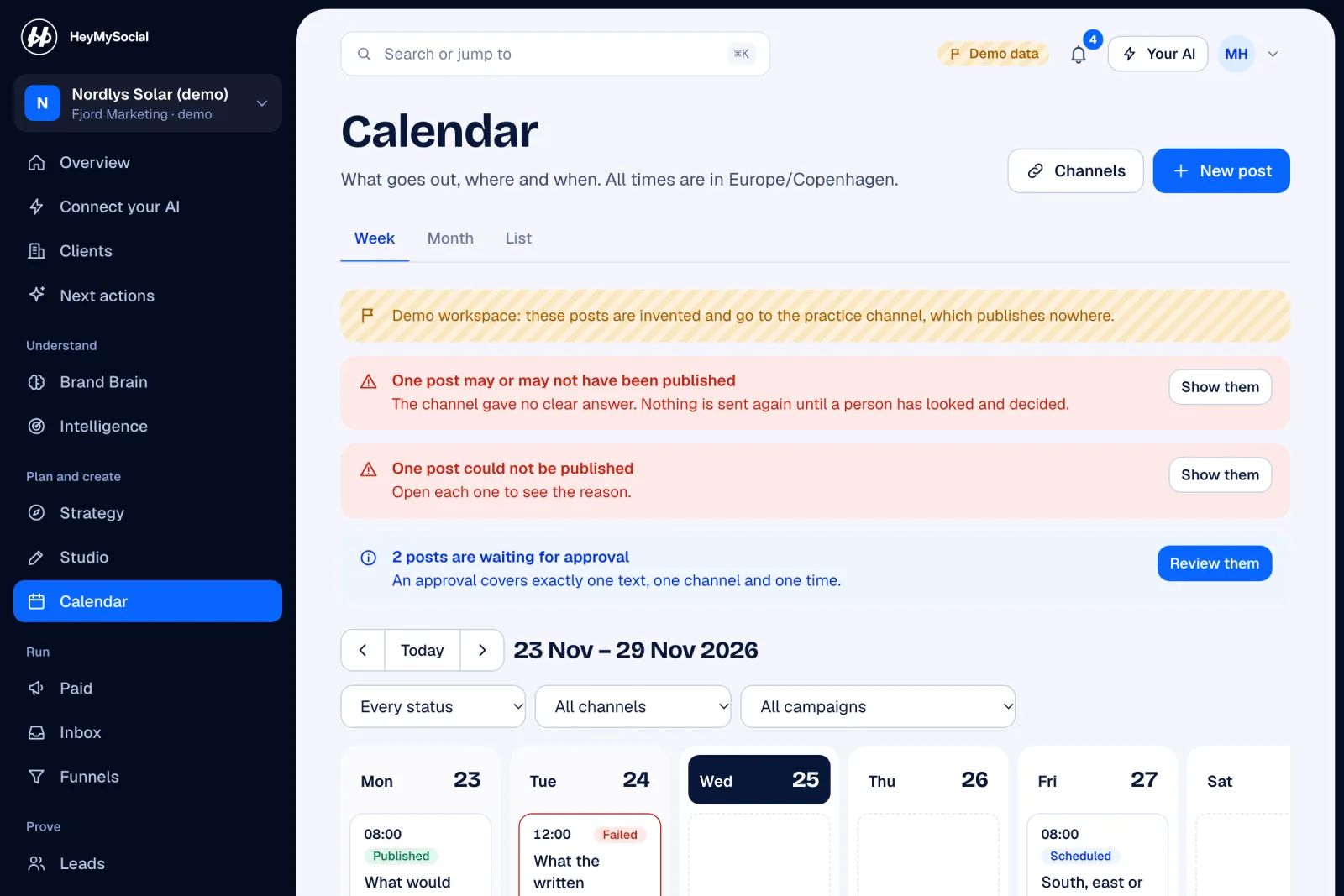
- A calendar in week, month and list view, in the workspace's time zone, with daylight saving handled.
- A post can belong to a campaign with its strategy and the hypothesis it tests.
- An approval covers the exact text, picture, channel and time. A material edit removes it and takes the post off the schedule.
- The tracked link in the post ties clicks to leads, and leads to sales.
Side by side
The middle column is what is typical of schedulers. The right column is what works in HeyMySocial today, with nothing rounded up.
| What | A social scheduler, typically | HeyMySocial today |
|---|---|---|
| Publishing to Facebook and Instagram | Direct, usually in several post formats | Built for text, link and single-image posts, and switched off until Meta approves the app. Until then you post by hand. |
| Publishing to LinkedIn | Direct in most products | Built for text posts and switched off. You post by hand. |
| TikTok, YouTube, X, Pinterest | Often supported; it varies by product | Not built. Posts for these can be planned, approved and marked as published by hand. |
| Calendar | Yes | Week, month and list. Moving a post asks first when the move will cost its approval. |
| Approval before a post goes out | Varies by product and plan | On every plan, bound to the exact post. An optional four-eyes rule, and clients can approve in their portal. |
| Writing the post | Many include a built-in text generator | Plain drafts from fixed rules in the app. Richer writing comes from your own assistant, and claims are checked against your approved facts. |
| Graphics | Upload your own; some include an image editor | A built-in designer with six layouts in four formats in your brand colours, or upload your own. |
| Engagement numbers per post | Pulled from the networks | Only on the practice channel, where they are simulated and labelled. None for posts you put up by hand. |
| What the post led to | Usually clicks at most | Clicks on the tracked link, leads and sales, with first-touch and last non-direct attribution. |
| Comments and messages | Often an inbox for the connected networks | The inbox works on the practice channel only. No live channel feeds it yet. |
States of every connection, read from the product's own switches: integrations.
An approval that covers exactly what goes out
When a post is sent for approval, HeyMySocial writes down what is being approved: the channel and account, the text, the picture, the time with its time zone, and the action. The approval is bound to exactly that.
Change the text, the link, the picture, the channel or the time afterwards, and the approval is gone and the post comes off the schedule. With the four-eyes rule turned on, the person who asked for the approval cannot be the one who gives it.
- An assistant or an API key can ask for an approval. Neither can give one.
- A client whose role allows it can approve in the client portal, without seeing drafts or internal notes.
- Each decision is written to the audit log with the person who made it.
Using both: how they fit together today
Until direct publishing is switched on, a scheduler or the network's own app is what puts the post up. HeyMySocial holds the plan, the approval and the result.
-
1
Plan and write the post in HeyMySocial
Give it a campaign and a planned time, and create a tracked link for it under Funnels with the post chosen under "Content item". That link is what later ties a lead to this post.
-
2
Get it approved
A person approves the exact text, picture, channel and time in the app, or a client does it in the portal. The practice channel stands in as the channel. Leave the post off the schedule: the schedule sends to the practice channel.
-
3
Publish it with the tool you already use
Copy the text and the tracked link into your scheduler or the network's own app, add the picture, and publish or schedule it there.
-
4
Mark it as published
In the Studio, choose "Mark as published elsewhere" and paste the link to the live post. The calendar and the history now say what really happened.
-
5
Read what it led to
Clicks on the tracked link, the leads that followed and their sales show up under Leads and Analytics, by post and by campaign.
Where a scheduler is the better choice today
If these are what you need most, keep your scheduler, or choose one, and use HeyMySocial beside it or not at all.
Publishing without touching each network
A scheduler publishes for you. In HeyMySocial that works on the practice channel only; every real post is put up by hand until Meta approves the app, and LinkedIn is switched off.
Video, stories, reels and carousels
When Facebook and Instagram publishing is switched on, it will cover text, link and single-image posts. Other formats are not built.
More networks
TikTok, YouTube, X and Pinterest are not built in HeyMySocial. Most schedulers cover several of them.
Engagement numbers and a live inbox
A scheduler typically shows reactions and reach per post and gathers comments and messages. HeyMySocial has neither for real networks today.
Questions about schedulers
Can HeyMySocial replace my scheduler?
What does "schedule" mean in HeyMySocial then?
Do posts I publish by hand count against my plan?
Will I see likes and comments for my posts?
What happens when Meta approves the app?
Keep reading
Try the whole flow on the practice channel
Plan a post, get it approved, schedule it and watch it go out, fail and retry, without anything leaving HeyMySocial.