
Follow every lead until it is won or lost
Everyone who asked to be contacted lands in one list, with where they came from and what became of them. You move them along a short pipeline, record the sale when there is one, and the results screen counts what your posts and ads were worth in sales rather than in form fills.
It is not a replacement for a sales CRM. Keep yours and connect it by webhook or file.
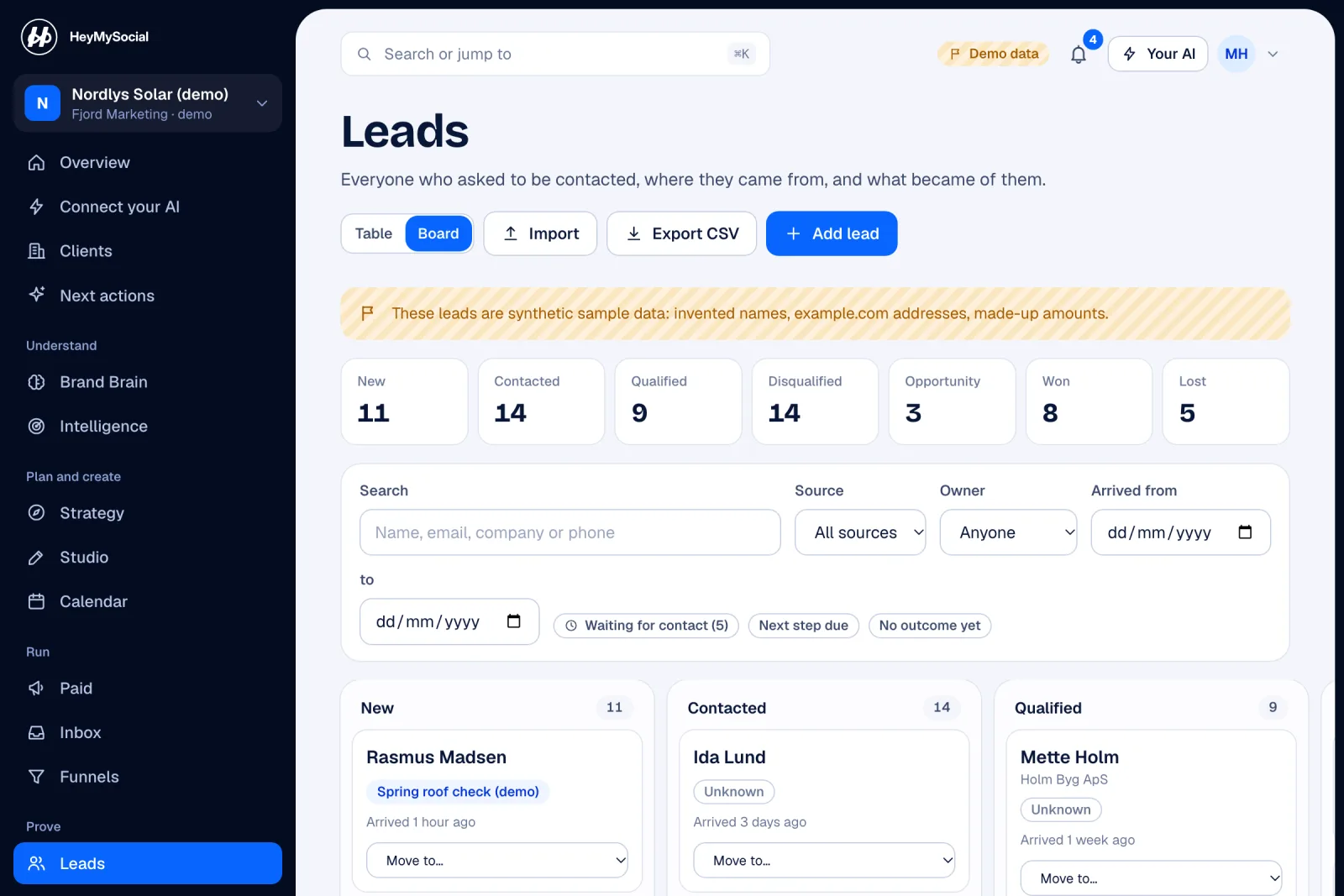
A table for finding, a board for moving
The same leads, two views. Table sorts by status, arrival or next step and searches name, email, company and phone. Board shows one column per status, and you move a lead to an allowed next status from its card.
Above both sits a row of statuses with their counts, and three filters for the work that is waiting: Waiting for contact (new leads nobody has contacted within your follow-up time), Next step due and No outcome yet (older leads still open).
- Filter by source, owner and arrival dates.
- Each lead shows what it could be tied to: a channel and campaign, Direct, Unknown or No consent.
- A repeat request from someone with a recent lead is kept, marked Duplicate and not counted twice.
- Leads arrive from your website, a signed webhook, a landing page, a file, your CRM, your assistant, or by hand.
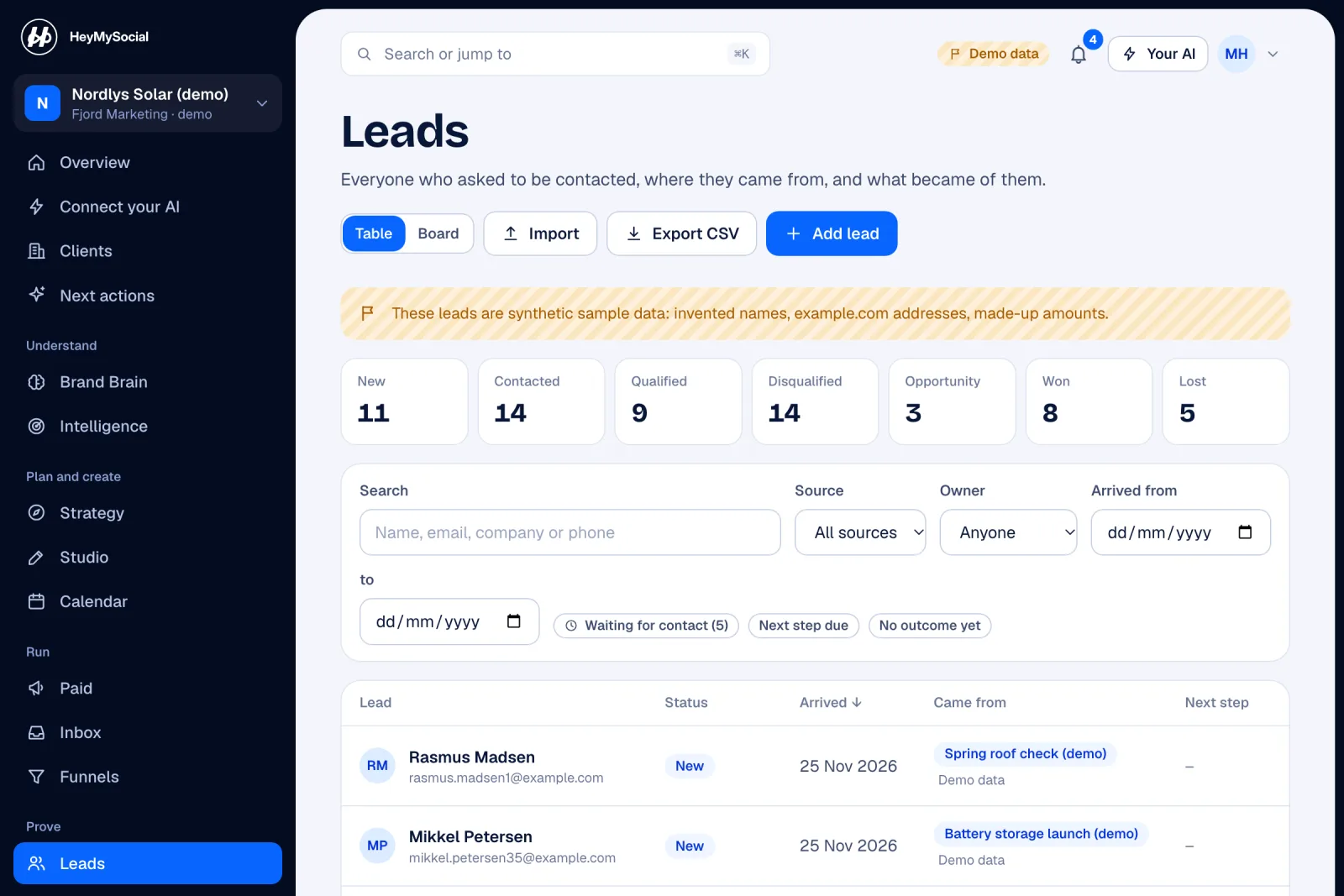
One pipeline, and an honest way to fix a mistake
A person moves a lead one allowed step at a time, and every change is kept in the lead's history with who, when and why. When a status is simply wrong, Correct the status sets the right one with a reason; the earlier one stays in the history, marked as corrected.
-
1
New
The lead has arrived and nobody has been in touch. After your follow-up time it counts as waiting and becomes a task.
-
2
Contacted
The first contact is timed. That is where the response time on the results screen comes from.
-
3
Qualified or disqualified
Worth pursuing, or not. Disqualifying needs a short reason, so you can see later which leads were worth it.
-
4
Opportunity
There is something specific they might buy. You can name it and give it an estimate.
-
5
Won or lost
Won needs the real sale amount. Lost needs a reason. Either way the lead now has an outcome.
Revenue comes from recorded sales, and nothing else
An opportunity is what a lead might buy. Its value is an estimate and is labelled as one everywhere: it is never counted as revenue, and closing an opportunity as won does not create revenue either.
A sale is recorded with its amount and currency, its date, what the amount is (booked, invoiced or collected), how it was verified (by hand, from an invoice, from the CRM) and its invoice or order number. The same number from the same source is never recorded twice.
A lead can have several sales, so partial revenue adds up as it comes in. A refund is recorded against the sale it reduces, for at most what is left of that sale, and booked revenue is shown net of refunds.
- Amounts are never converted or added across currencies.
- Booked, invoiced and collected are counted separately.
- A sale or refund that arrives late updates the results for the lead it belongs to.
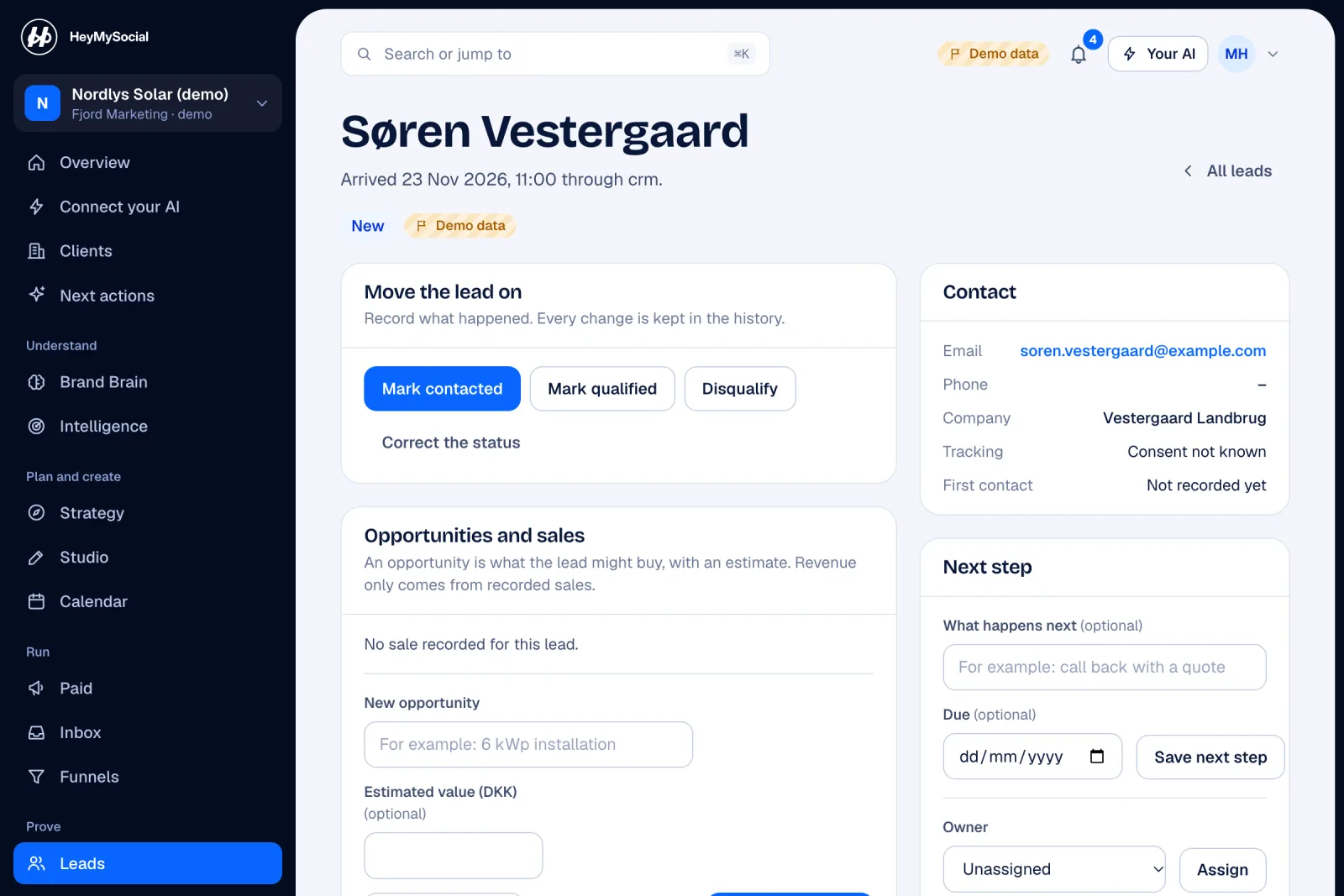
The details that keep the numbers clean
Duplicates
A person is recognised by their email address. A second lead while an earlier one is still recent is linked to it and left out of the counts, instead of being dropped or counted twice.
Follow-up reminders
A new lead nobody has contacted gets one reminder, to its owner or to everyone who works leads, in the app and by mail for those who want it. You set the delay for the workspace under Settings, Notifications.
Owner and next step
Each lead can have an owner and a next step with a date. A next step whose date has passed shows as overdue and as a task.
Import
Bring in leads or sales from a CSV file. You choose which column is what, rows that cannot be read are listed with their line, and importing the same file twice changes nothing. File format.
Export
A workspace manager can export leads with contact details as CSV. The export is written to the audit log and never contains the agency's private notes.
Two kinds of notes
Notes shared with the client, and agency-private notes that client-side members, exports and status links never show.
Let the client say what became of the lead, without a login
The person who took the call often knows the outcome, and often has no account. A client status link is made for one lead: you choose which statuses it may set (contacted, qualified, disqualified, won, lost), how many days it is valid and how many times it can be used.
The page behind the link shows the lead's initials and arrival date, never a name, a contact detail, a note or the history. The person sets a status, gives a reason, and for won, the amount. Nothing can be read or downloaded through it.
- The link is shown once. Only a fingerprint of it is stored.
- It expires, runs out of uses, or is revoked at once from the lead's page.
- What was reported through it stays in the history as "Client status link".
Keep your CRM in step, by webhook or by file
Set up under Settings, Connections. Whichever route you use, a record that names something HeyMySocial does not know is listed for a person to resolve, not guessed at.
| Route | What travels | Good to know |
|---|---|---|
| Signed webhook in | Leads, contacts, opportunities and sales from your CRM, as they change. | Signed and replay-protected like the tracking webhook. Their statuses are mapped to the seven here; you can adjust the mapping. Fields. |
| Signed webhook out | A lead's status, when a person changes it here. | Sent once per change, retried when your system does not answer, with a delivery log. Payload. |
| File | A CSV export from your CRM: leads or sales, with the CRM's own ids. | Goes through the same reconciliation as a webhook, so uploading the same file again changes nothing. Columns. |
| API | The same records in a batch, with a key that may write leads. | API operations. |
| HubSpot and Pipedrive connector | A ready-made connection. | Built and switched off, and not yet checked against the live systems. Until then: the webhook or the file. |
When the two disagree: your CRM decides sales and opportunity values. HeyMySocial keeps its own first-contact time and attribution. For status the newest change wins, and both values stay in the history. A change that just came from the CRM is not sent back to it.
What your assistant can do with leads
It can list and read leads, add one you tell it about, move a lead along, record a sale or refund with the amount you state, and create or revoke a status link. Contact details come back masked unless the task needs them. It is told never to estimate an amount.
create_lead
Add a lead by hand
create_status_link
Create a status link for a client
get_crm_status
CRM sync status
get_lead
Get one lead
import_leads
Import a list of leads
list_leads
List leads
manage_opportunities
Add or change a lead's opportunities
record_refund
Record a refund of a sale
record_sale
Record a sale on a lead
revoke_status_link
Revoke a client status link
update_lead
Update a lead's owner, next step and notes
update_lead_status
Update a lead's status
Questions about leads and sales
Is this a CRM?
What counts as revenue?
What happens when the same person asks twice?
Can my client update leads themselves?
Does it connect to HubSpot or Pipedrive directly?
A sale was recorded on a lead that is not here yet. Is it lost?
Keep reading
Find out what your leads became
The demo workspace has sample leads in every status, with sales and a refund, to try the pipeline on.