
Write the post, check every claim, keep every version
The Studio is where a post is written and made ready. Each save is a new version with its author. The text is checked against your brand rules and the channel's rules while you type, and a preview shows it in the shape it will have. Nothing leaves until a person has approved exactly what goes where and when.
Every post in one list, with where it came from
The Studio opens on all posts in the workspace. Filter by status, channel or campaign, or search the title and text. Each row shows the status, the channel, the planned time, the version number and where the first draft came from: a person, the rules, your assistant or the API.
"Create drafts for next week" takes a strategy and a channel and writes one draft per funnel stage, spread over next week. They are drafts only. Nothing is approved, scheduled or sent by pressing it.
How strategy briefs work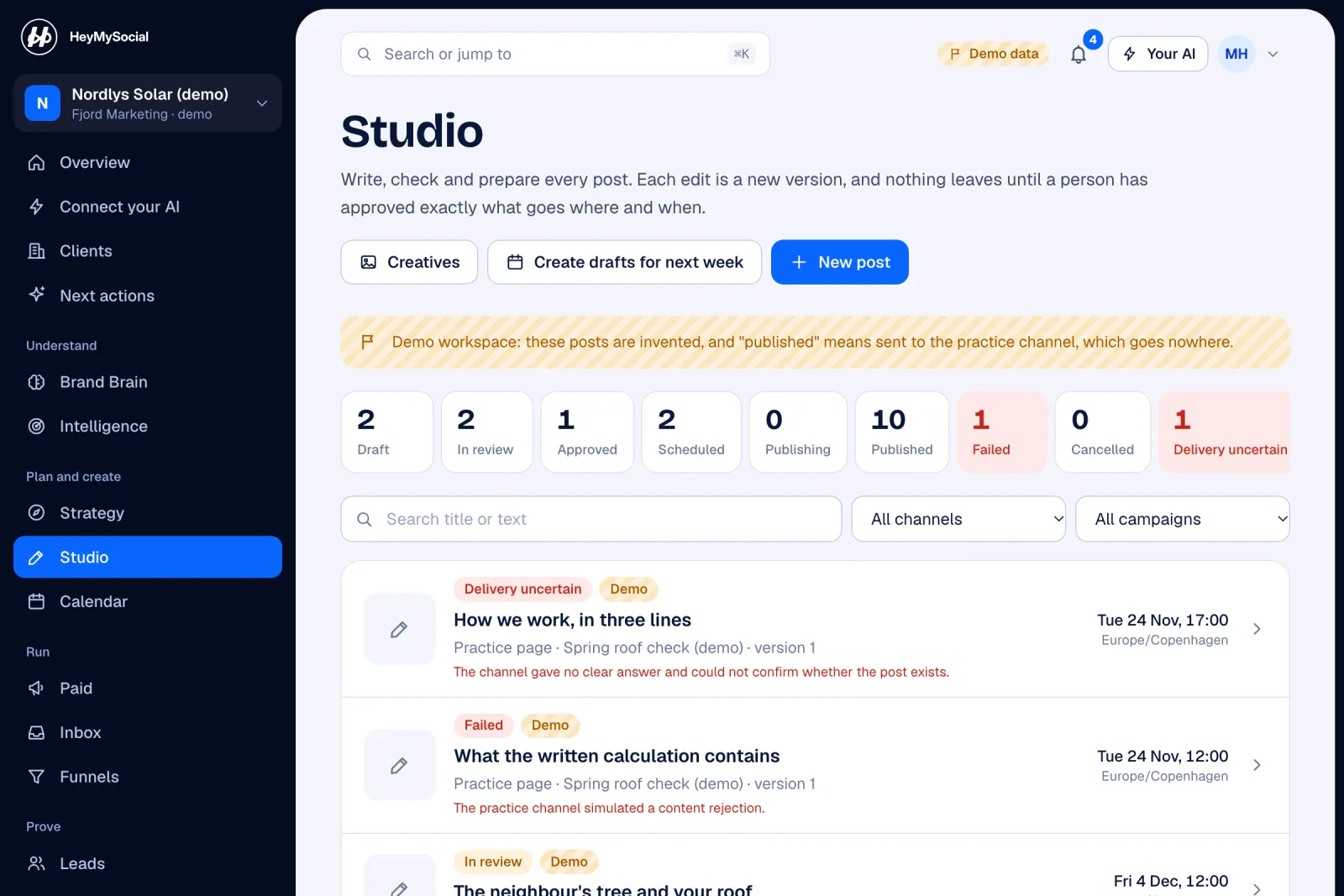
Four panels beside the text
Preview
A frame shaped like a post on the chosen channel, showing your unsaved changes and how much text appears before "more". It is labelled "A preview, not the platform itself" and uses no platform logo.
Brand QA
The brand check and the channel's own rules, run as you type. Each issue is an error or a warning with the words it is about. When nothing is wrong it says so.
Variants
Suggestions put together by fixed rules from your approved brand facts, for the channel, intent and funnel stage you chose. Take a whole variant, or only its title, text or call to action.
History
Every version with its author: written by a person, drafted by rules, drafted by an AI assistant, or sent through the API. Compare any version with the current one, or restore it as a new version.
Claims are checked before a person is asked
A post cannot be sent for approval while it has an error. Errors come from two places: your Brand Brain and the channel. Warnings do not block; they are for you to judge.
The check uses fixed rules against what you approved. It is not a model reading your text, and it is not legal advice. The approver still reads the post.
- Brand errors: a term you ruled out, a promised result that is not an approved fact quoted word for word, such as guarantee wording, an expired offer, a missing required disclosure.
- Brand warnings: a superlative or a number with no approved fact or active offer behind it.
- Channel errors: what the chosen channel refuses, such as text that is too long or a missing image.
- No channel chosen yet: a warning that the channel rules could not be checked.
The life of a post
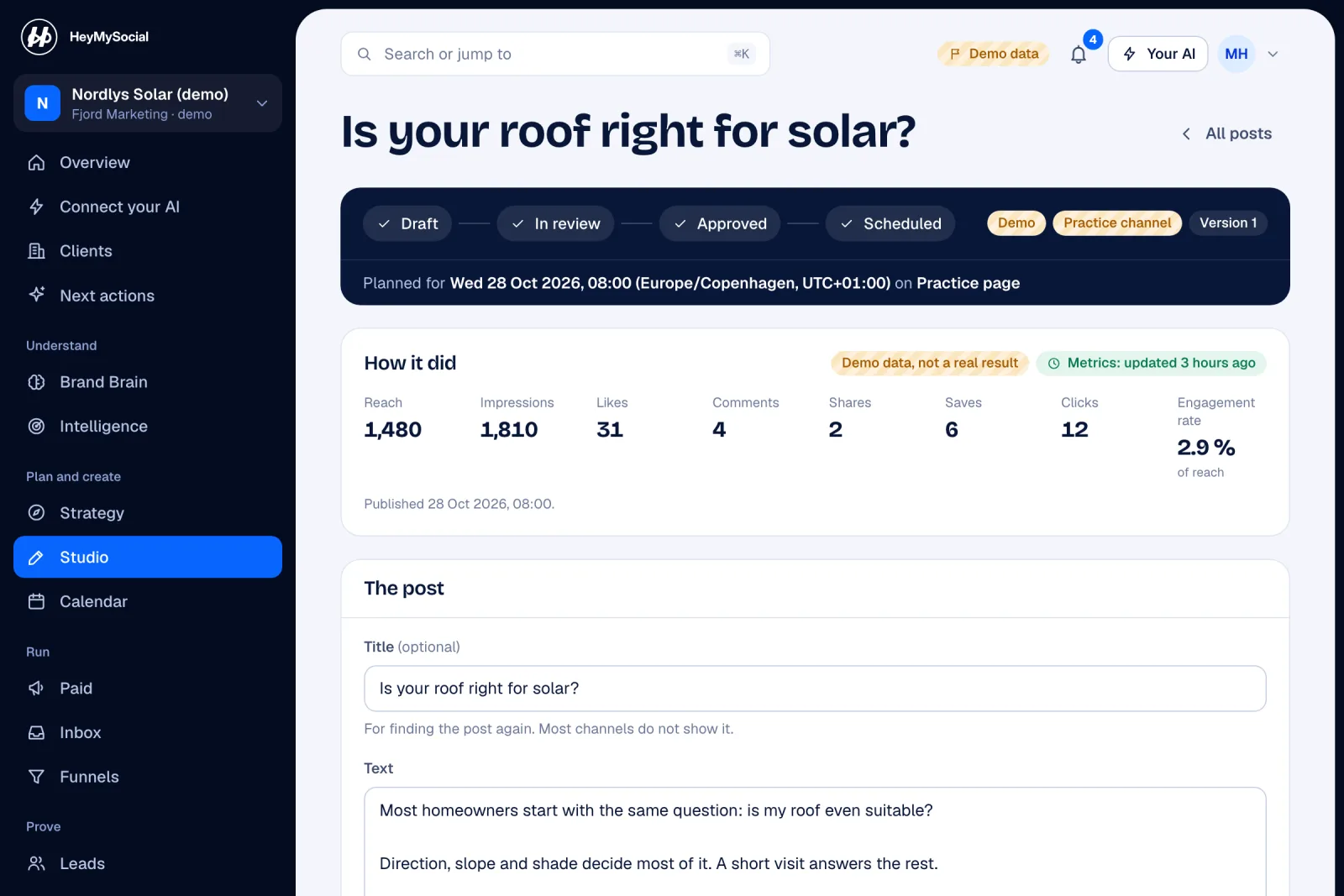
The bar at the top of the editor shows where a post is. A status that the workflow does not allow cannot be written.
-
1
Draft
Write the title, text, call to action and link, attach a creative, and choose the channel and the planned time. The call to action is added as the last line when the text does not already say it.
-
2
In review
"Ask for approval" needs a channel, a time and no errors. The people who can approve see the request in their tasks.
-
3
Approved
A person approved exactly this content, channel and time. Changing the text, link, creative, channel or time throws the approval away and the post is a draft again.
-
4
Scheduled
It is sent at the planned time and uses one of the month's scheduled posts. Taking it off the schedule gives that back and leaves it approved.
-
5
Published
The post page shows how it did: reach, impressions, likes, comments, shares, saves, clicks and engagement rate. A metric the channel did not report reads "N/A".
Plain drafts from rules, richer ones from your own assistant
HeyMySocial runs no AI model. The variants in the Studio arrange your approved facts, your offer and the wording your playbook gives each funnel stage. They invent nothing, so they are plain, and each one lists what it assumes and what it did not know.
For fuller writing, connect your own assistant. It reads the approved brand and the strategy, saves drafts as new versions marked "Drafted by an AI assistant", and cannot ask for approval while the checks report an error.
Run it from your own assistantWhat your assistant can do in the Studio
It drafts, previews, attaches creatives and asks for approval. save_content_draft only drafts, and no tool approves a post.
create_creative
Create a creative
get_approval
Get an approval
get_content
Get one content item
import_images
Import images from links
list_approvals
List approvals
list_content
List content
list_creative_templates
List creative templates
list_creatives
List creatives
list_uploads
See what was uploaded
manage_content
Duplicate, cancel, delete or restore content
preview_creative
Look at a creative
preview_post
Preview a post
request_approval
Ask a person to approve content
request_upload
Ask the person to upload files
save_content_draft
Save a content draft
update_creative
Change a creative and render it again
What is true today
Questions about the Studio
Does the Studio write posts for me?
Can I get an earlier version back?
Two of us edited the same post. What happens?
Is the title published?
Do clients see drafts?
Can I send drafts in from another system?
Keep reading
Write one post and watch the checks work
Open a draft in the demo workspace, type a number that is not among the facts, and see the brand check ask where it comes from.