
Every part of the loop, one page each
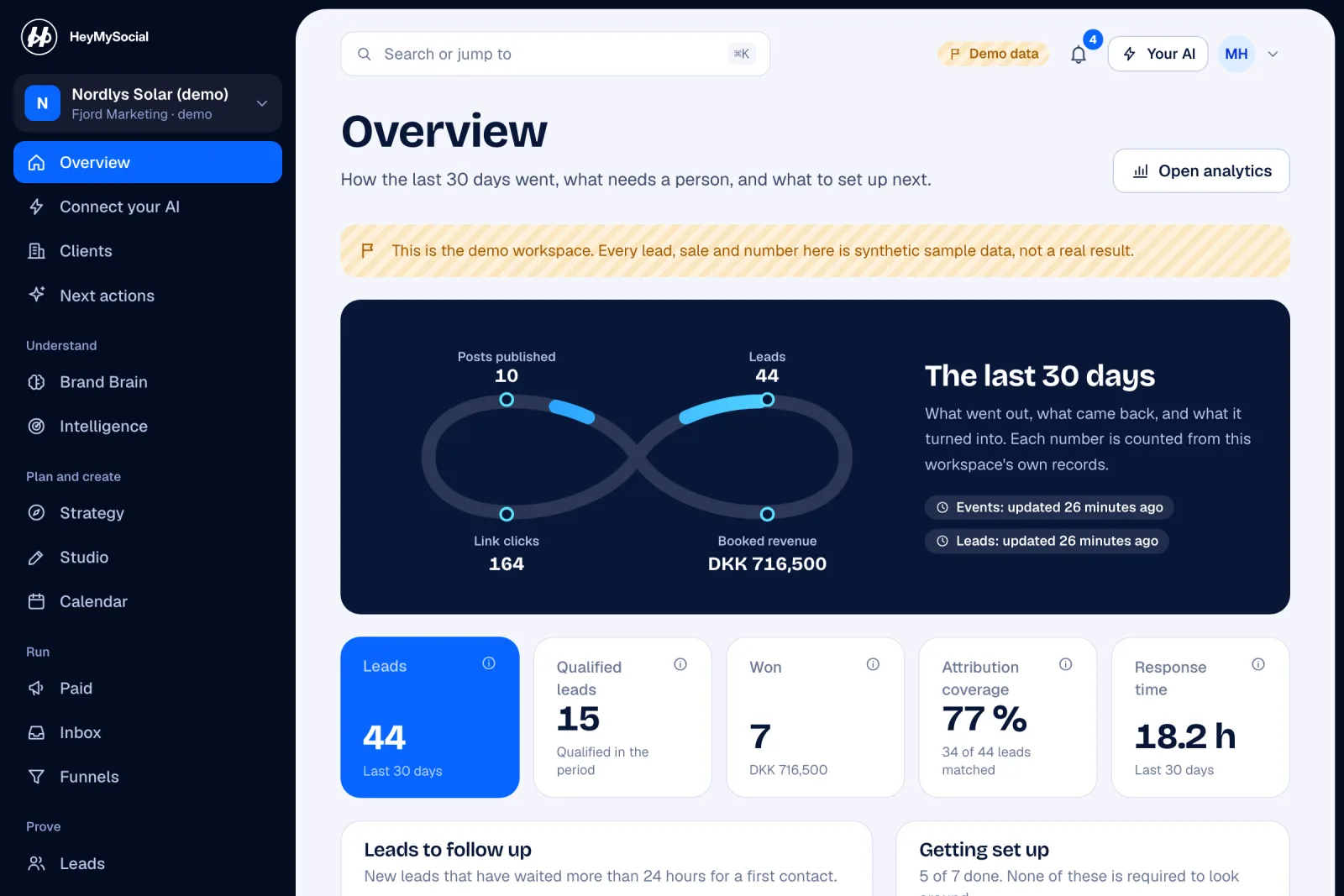
HeyMySocial is one workspace with a screen for each stage of a campaign, from the facts about your business to the sale a post led to. Each page below says what the screen does, how it behaves, and what is switched off today.
By stage of the loop
Understand, plan, create, run, prove, learn. Your own assistant can work in all of them.
Your AI assistant
Connect Claude, ChatGPT, Grok or Gemini to your workspace in about a minute. It plans, drafts and builds campaigns; a person approves what goes out.
Understand
Brand Brain
Your profile, voice, facts, offers, personas and documents in one place, each with a review state. Drafts and brand checks use only the facts and offers a person approved.
Research
Record competitor and creator posts and ads by hand, by CSV file or through your assistant. No scraping. Every score is a market signal, never a result.
Plan
Create
Studio
The post editor: every edit is a version, claims are checked against your approved facts as you type, and a preview shows the post before anyone approves it.
Designer
Six layouts in four formats, drawn in your brand colours with text that always fits. Upload your own photos and videos too. HeyMadeIt is switched off.
Approvals
A person approves one exact text, picture, channel and time. Edit any of it and the approval is gone. Assistants and API keys can ask, never approve.
Run
Calendar and publishing
Week, month and list views of every post. Publishing works on the practice channel today; real posts are posted by hand and marked as published elsewhere.
Paid results
Import ad results from Ads Manager by file or API and read cost per lead, per qualified lead and per sale. Read-only: no code changes an ad or a budget.
Inbox
Comments and messages in one place, with assignment, tags, rule-built reply suggestions and automation a manager approves. Today it runs on the practice channel only.
Prove
Tracking
A small script, tracked links and a signed webhook tie visits to leads. No cookie, no fingerprint, by default nothing stored before consent, and a test you can see arrive.
Landing pages
A headline, a few lines and a form with a consent checkbox, live in minutes. Leads arrive like any other lead, tied to the campaign and the click that brought them.
Leads and sales
A small pipeline for what came in from your posts and ads: statuses with corrections, opportunities, sales, refunds, client status links and CRM sync by webhook or file.
Attribution and results
First touch and last non-direct touch inside a window you set. Direct, unknown and no-consent leads keep their own rows, and revenue is counted per currency, net of refunds.
Reports
Save a view of your results, freeze its numbers as a snapshot, and share a link that expires. A shared report shows totals only: no personal data and no ad spend.
Learn
Three rules every screen follows
A person approves what goes out
Posts and budget requests wait for an approval a person gives in the app, for exactly what was shown. An assistant or an API key can ask. It cannot approve.
A missing number is not zero
A metric that was not reported reads "N/A". Cost per lead with no leads reads "N/A". Demo and practice data are labelled on every screen and never mixed with your own.
Every suggestion shows its evidence
What you saw in the market, what you measured yourself and what you sold are three different labels. A suggestion is never stronger than what it rests on.
What works today
Everything on these pages is built. Some connections to other services are built and switched off until the other side has approved them: publishing directly to Facebook Pages and Instagram, reading Meta Ads automatically, LinkedIn, and the HeyMadeIt editor.
Until then you post by hand and mark the post as published, and ad results come in as a file. Each feature page says which of the two applies.
Every connection and its stateSee the screens with sample data
A demo workspace is offered when you set up your account. Open any screen named on these pages there and it is already filled in.